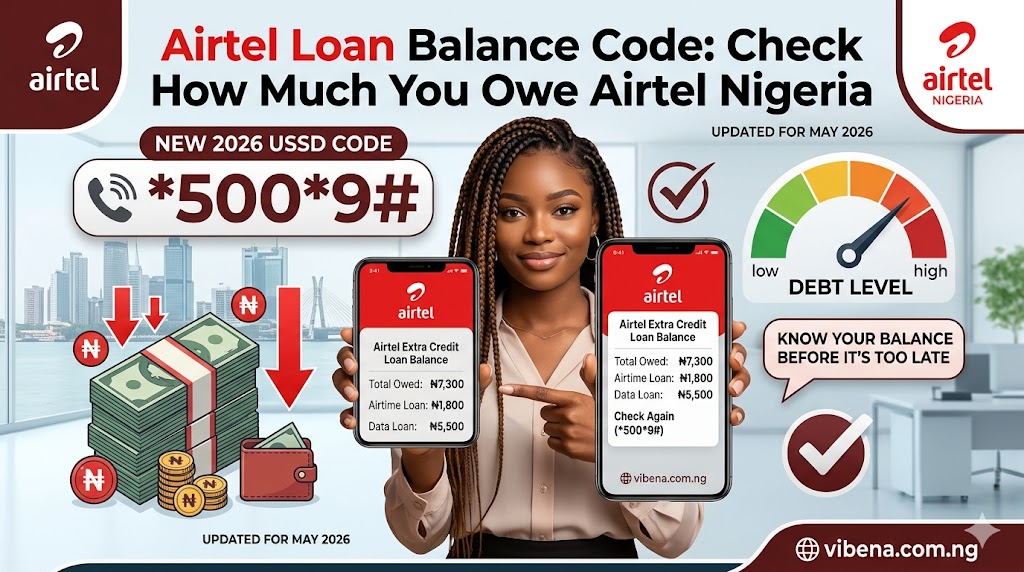
You recharged ₦2,000. You waited for the confirmation beep. You checked your balance. Zero. Or worse, negative. This guide explains airtel Loan Balance Code in simple, practical terms.
No warning. No explanation. Your money just disappeared into a debt you forgot you had.
This happens to thousands of Airtel users in Nigeria every single week. The truth is that Airtel’s automatic loan repayment system is working exactly as designed. The problem is that most users never check what they owe before they recharge, so the deduction always feels like a shock.
This guide exists to fix that. Below, you will find the exact codes to check your Airtel loan balance before you top up, how to read what the system tells you, how repayment actually works, and how to plan your recharges so your real money does not vanish the moment it lands.
The Codes to Check Your Airtel Loan Balance Right Now
There are two main ways to check what you owe Airtel using a USSD code. Both work without internet and both work even if your airtime balance is at zero.
*Primary Method: 312# Loan-Specific Menu
This is the most targeted option for checking your loan status:
- Open your phone dialer
- Dial *312# and press Call
- From the menu, select Option 8 (My Account or Account Info)
- Then select Option 4 (Loan Information or Credit Status)
- Wait for the flash message showing your outstanding loan amount and repayment details
This menu shows your current loan balance, the service fee included, and the total amount that will be deducted from your next recharge.
*Secondary Method: 310# Comprehensive Balance View
Dial *310# and press Call. This gives you a full overview of your Airtel account, including your main airtime balance, any bonus or promotional credit, and your current debt status. It is the quickest single code to see everything at once.
Here is a quick reference for all the codes you will need:
| What You Want to Check | Code to Dial |
|---|---|
| Loan balance and repayment details | *312# → Option 8 → Option 4 |
| Full account balance overview | *310# |
| Data balance only | *323# |
| Buy a data plan | *312# |
| Borrow airtime (when available) | *303# |
| Share airtime | *321# |
| Link NIN to your line | *996# |
What That Number on Your Screen Actually Means
Once you dial *310# or navigate the *312# menu, the system displays your balance. If you have an outstanding loan, you will often see one of two things:
Either your main balance is shown as a negative number, such as -₦250, or your balance shows ₦0 with a separate line noting an outstanding loan amount.
A negative balance on Airtel is not a glitch or an error. It simply means you borrowed more airtime than you currently have in your account. Airtel has credited you in advance, and the negative figure represents what you still owe. Think of it exactly like a bank overdraft. The money was used. The balance reflects the outstanding debt.
The two numbers that matter most are your main airtime balance and your loan balance. Your main balance is what you actually have available to spend right now. Your loan balance is what Airtel will take from your next recharge before you can use any of it. Knowing both figures before you top up is what separates a frustrating recharge experience from a planned one.
How to Check Your Airtel Loan Balance Using the MyAirtel App
If you have a smartphone and a working data connection, the MyAirtel app gives you a clearer, more visual view of your account than any USSD menu can.
Here is how to use it:
- Download the MyAirtel app from the Google Play Store or Apple App Store if you have not already
- Open the app and enter your Airtel number
- Verify your identity with the OTP sent to your phone
- On the home dashboard, look at the account summary section at the top
- Your main airtime balance, data balance, and any outstanding loan are displayed separately
- Tap on the loan or credit section to see the full breakdown including the repayment amount
The app is especially useful because it shows your loan balance and main balance side by side, which makes it far easier to plan how much to recharge. It also lets you buy data, check offers, and manage your account all from one place.
If you manage mobile data carefully, our breakdown of the best data plans for streamers in Nigeria is also worth reading to find cheaper bundles that fit your actual usage.
Always Check Before You Recharge — Here Is Why This Matters
This is the section that will actually save your money, and it is also the section almost nobody writes about.
Most Airtel users recharge first and check their balance after. By then, the deduction has already happened. The smarter habit is to check your loan balance before every recharge, especially after you have borrowed airtime or data recently.
Here is the practical reason this matters.
If you recharge less than your outstanding loan, Airtel takes your entire recharge amount and applies it toward your debt. Your main balance stays at zero, and you still have a remaining loan balance. You have spent real money and walked away with nothing usable.
Here is how to avoid this using a simple naira example:
You borrowed ₦500 last week. Airtel received ₦425 upfront (after the 15% service fee), and you now owe ₦500 on repayment. You want to recharge and also need at least ₦300 for a data bundle today. The math is:
₦500 (loan repayment) + ₦300 (what you actually need) = ₦800 minimum recharge
If you recharge ₦600 instead, Airtel takes ₦500 for the loan, leaving you only ₦100. That is not enough for most data bundles and certainly not what you planned for.
Users are charged a 15% service fee on borrowed airtime, which is deducted upfront. So the amount you owe back is always the full amount you requested, not the reduced amount you actually received. Keep this in mind when calculating.
If budgeting your mobile expenses feels like a constant challenge in today’s Lagos economy, our detailed look at the cost of living in Lagos in 2026 breaks down where every naira goes across housing, transport, food and utilities.
How Airtel Repays Itself — The Automatic Deduction Explained
There is no manual process for repaying an Airtel airtime loan. You do not dial a code or send a payment. The repayment happens automatically the moment you recharge your line, regardless of how you top up.
Whether you recharge using a physical card, a bank USSD transfer, OPay, PalmPay, or any other method, Airtel’s system intercepts the incoming credit before it reaches your main balance. The loan deduction happens first. Whatever is left after repayment is what you get to use.
If you recharge in multiple small amounts and none of them individually covers your full loan, Airtel will keep deducting from each one until the loan is cleared. You may make three separate top-ups and receive very little usable credit until the debt is fully paid off.
One more thing worth knowing: an outstanding Airtel loan can also block you from subscribing to data bundles in some cases. If you have been trying to buy a data plan and it is not going through even though you have airtime, check whether the remaining airtime after loan deduction is enough to cover the data bundle cost.
What the Current Service Suspension Means for Your Loan Balance
If you borrowed airtime or data from Airtel before April 2026, you may still have an outstanding loan on your account even though the borrow service has been suspended.
As covered in our complete Airtel borrow code Nigeria guide, Airtel suspended its airtime and data credit service in April 2026 following the Federal Competition and Consumer Protection Commission’s DEON Regulations, which brought telecom airtime lending under formal digital credit oversight. Federal High Courts in Lagos and Abuja have since issued interim orders challenging the suspension, and the legal situation is still evolving.
The important thing to understand is that the suspension only affects new borrowing. If you borrowed before the suspension and have not yet fully repaid, your outstanding loan is still active. Airtel will still automatically deduct it from your next recharge. Your balance may still show as negative if the debt has not been cleared.
You can still check your loan balance using *312# and *310# during the suspension period. Those balance check codes remain fully functional regardless of the borrow service status.
Can You Borrow Again Before Clearing Your Existing Loan?
No. Airtel’s policy is clear on this point. You cannot request new borrowed airtime or data on Airtel if you have an outstanding loan balance. Unlike MTN, which sometimes allows borrowing within defined credit limits even with existing loans, Airtel requires a zero outstanding balance before it grants any new credit.
This rule makes knowing your loan balance even more important. If you are unsure whether your previous loan has been fully repaid, check with *312# before assuming you are eligible to borrow again. Many users attempt to borrow and receive an “ineligible” or “not eligible” error without realising they still have an unpaid balance from weeks ago.
The fix is simple: recharge enough to fully cover your outstanding loan. Once the repayment is complete, your account returns to a clear state and you become eligible to borrow again when the service resumes.
If you are an MTN user as well and want to compare how their borrow service handles outstanding loans differently, our guide on how to borrow data from MTN Nigeria explains the key differences.
All the Airtel Balance Codes You Need in One Place
Here is a full reference table so you never have to search for these again. All of these codes work on any phone, with or without internet, and most work even with zero airtime balance.
| Code | What It Does | Works Without Airtime? |
|---|---|---|
| *310# | Full account overview: main balance, bonuses, debt status | Yes |
| *312# → Option 8 → Option 4 | Loan-specific balance and repayment details | Yes |
| *323# | Data balance only | Yes |
| *303# | Borrow airtime or data (when service is active) | Yes |
| *321# | Share airtime with another Airtel user | No (requires airtime) |
| *312# | Buy a data plan | No (requires airtime) |
| *996# | Link NIN to your Airtel number | Yes |
| 111 | Airtel customer care (free to call) | Yes |
Frequently Asked Questions
What code do I dial to check my Airtel loan balance?
Dial *312#, select Option 8, then Option 4. This brings up your loan-specific information including the outstanding amount and repayment details. You can also dial *310# for a full balance overview that includes your loan status.
Why did Airtel take my entire recharge?
This happens when your outstanding loan is equal to or greater than the amount you recharged. Airtel automatically deducts the full loan amount before crediting your main balance. To avoid this, always check your loan balance first and recharge an amount that covers both your debt and your actual needs.
Can I check my loan balance without airtime?
Yes. Both *310# and the *312# menu work even when your airtime balance is at zero. USSD codes do not require airtime to function on the Airtel network.
What is the difference between 310# and 312#?
*310# gives you a comprehensive overview of your entire account, including main airtime, bonuses and loan status. *312# is the data and account management menu where you can drill down specifically into your loan information via Option 8 and Option 4. For a quick balance check, *310# is faster. For loan-specific details, the *312# menu is more precise.
Can I stop Airtel from deducting my loan automatically?
No. Automatic repayment is built into how the service works. Every recharge you make will have the loan deducted first until the balance is cleared. The only way to avoid the deduction is to not borrow in the first place or to clear the loan completely before it is deducted.
Does Airtel charge interest on the loan over time?
The 15% service fee is a one-time charge that is deducted upfront when you borrow. The fee does not grow over time. You repay exactly the amount you borrowed, not more. What you received was 85% of what you requested, but you repay 100% of what you requested.
Final Thoughts
Checking your Airtel loan balance before you recharge is a small habit that protects your money every single time. It takes less than 30 seconds. Dial *310# for a quick overview, or navigate *312# for the specific loan details. Use the MyAirtel app if you want the clearest visual breakdown.
The core lesson is simple: know what you owe before you spend. Whether you are topping up ₦500 or ₦5,000, knowing your outstanding loan amount means your recharge goes exactly where you planned, not into a debt you forgot about.
If the borrow service was how you got into the loan situation in the first place, our full guide on the Airtel borrow code Nigeria explains how the service works, what the current suspension means, and what your alternatives are while Airtel sorts out its regulatory compliance.
You can also explore how to borrow data from MTN Nigeria and the MTN borrow code guide if you need emergency airtime or data on a second line while the Airtel service is paused.
Staying connected in Nigeria is already hard enough. At least now, your recharge money will land exactly where you need it.
Airtel Loan Balance Code: Quick Recap
That is the full picture on airtel Loan Balance Code. Save this guide, share it with someone who needs it, and check back, because we update our Nigerian guides when things change.
For official information and updates, visit the Nigerian Communications Commission.

Oladepo Babatunde (Prince Babatee Tunde) is a Computer Scientist, researcher, and professional content writer with a Higher National Diploma in Computer Science from Kwara State Polytechnic, Nigeria.
With a background in technology and a passion for clear communication, Babatunde specializes in creating thoroughly researched, reader-focused content on productivity, personal development, home living, and technology. Every article he writes is backed by extensive research and fact-checking to ensure readers receive accurate, actionable information.
As a freelance writer, he has helped brands and publications deliver content that educates, engages, and empowers their audiences. His mission at Vibena is simple: make complex topics easy to understand and help Nigerians live smarter, more productive lives.