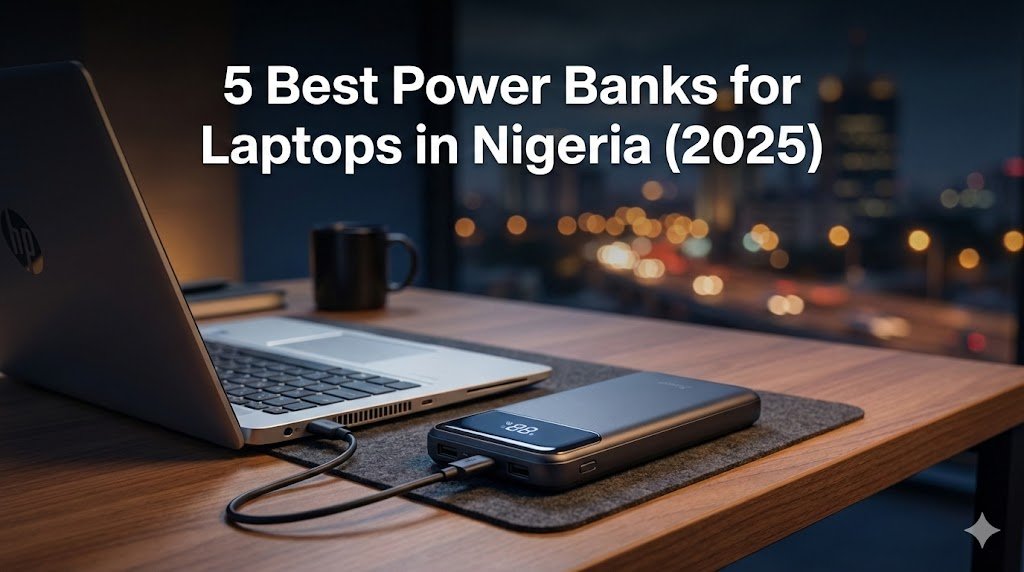
Let’s be honest: we all want that sleek MacBook Pro. You see it in every YouTube coding tutorial. But then you check the price in Computer Village or Ikeja, and it’s ₦1.2 Million or more. For a student or someone just starting their tech journey in Nigeria, that price is scary.
Here is the good news: You do not need a MacBook to become a great developer.
I have been coding in Lagos for years, often without 24/7 power, and I can tell you that a solid Windows laptop can do the job perfectly. In fact, many senior developers started on “fairly used” HP or Lenovo laptops.
In this comprehensive guide, I will show you the 13 best budget-friendly laptops for coding in Nigeria that you can buy for under ₦350,000 (UK used). I have broken them down with specific data you won’t find on Jumia—like screen brightness (nits) for outdoor coding and maximum RAM capacity.
Disclaimer: Prices in Nigeria are volatile and depend heavily on the Dollar rate. The prices listed below are estimates for “UK Used” Grade A units as of early 2026. Always verify current prices at Computer Village or Jiji before heading out.
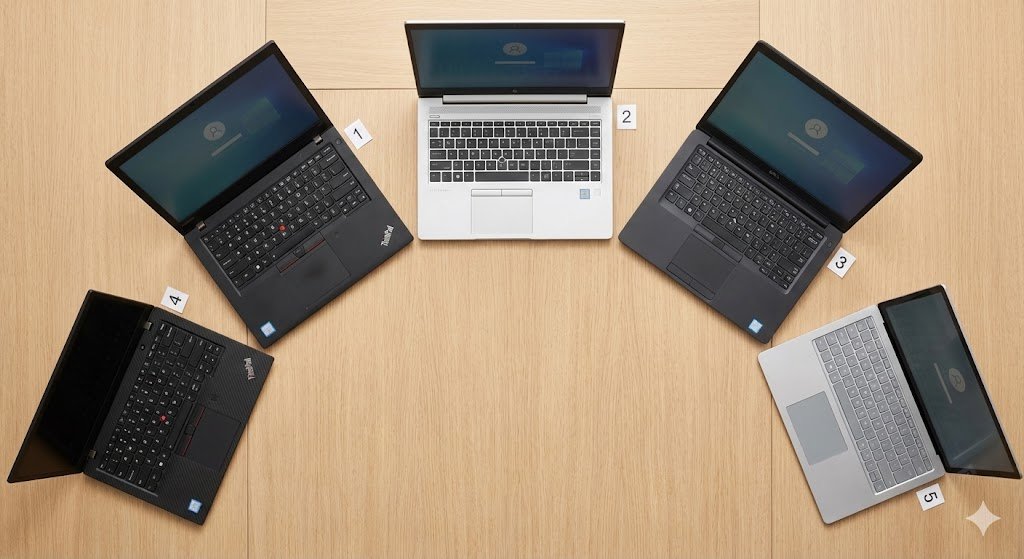
Quick Specs Comparison Table (All 13 Models)
| Laptop Model | Processor (Gen) | Max RAM | Screen Brightness | Battery Tech | Est. Price (UK Used) |
|---|---|---|---|---|---|
| ThinkPad T480 | 8th Gen i5 | 64GB | ~250 nits | Dual Battery | ₦250k – ₦320k |
| HP EliteBook 840 G6 | 8th Gen i5 | 32GB | ~400 nits (Opt) | Single | ₦280k – ₦350k |
| Dell Latitude 7490 | 8th Gen i5 | 32GB | ~300 nits | Single | ₦260k – ₦310k |
| ThinkPad X280 | 8th Gen i5 | 16GB (Fixed) | ~300 nits | Single | ₦200k – ₦280k |
| HP EliteBook 840 G5 | 8th Gen i5 | 32GB | ~250 nits | Single | ₦240k – ₦290k |
| Dell Latitude 5400 | 8th Gen i5 | 32GB | ~220 nits | Single | ₦240k – ₦290k |
| HP ProBook 450 G6 | 8th Gen i5 | 32GB | ~220 nits | Single | ₦230k – ₦270k |
| Dell Latitude 5300 | 8th Gen i5 | 32GB | ~255 nits | Single (2-in-1) | ₦240k – ₦280k |
| ThinkPad L480 | 8th Gen i5 | 32GB | ~250 nits | Single | ₦220k – ₦260k |
| HP EliteBook 830 G6 | 8th Gen i5 | 32GB | ~400 nits | Single | ₦260k – ₦300k |
| ThinkPad T470 | 6th/7th Gen | 32GB | ~220 nits | Dual Battery | ₦170k – ₦230k |
| Dell Latitude 7480 | 6th/7th Gen | 32GB | ~300 nits | Single | ₦175k – ₦250k |
| Acer Aspire 5 | 10th Gen/Ryzen | 20GB | ~250 nits | Single | ₦300k – ₦380k |
What Is the Minimum Laptop Requirement for Coding in Nigeria?
Before you rush to Jumia or Computer Village, you need to know the specs. If you buy a laptop with a weak processor, you will spend more time waiting for your code to load than actually writing it.
Since we are in Nigeria, we also have to think about battery life. NEPA (or your Band A tariff) won’t always be there to save you. Here’s how to stay focused during power outages.
Here is the breakdown of what you absolutely need:
| Feature | Minimum Requirement (Strict Budget) | Recommended (Standard) | Why it Matters |
|---|---|---|---|
| Processor (CPU) | Intel Core i5 (6th/7th Gen) | Intel Core i5 (8th Gen Quad-Core) | The 8th Gen jump is massive (4 cores vs 2). It prevents freezing during multitasking. |
| RAM | 8GB | 16GB | RAM allows you to multitask. 4GB is not enough anymore. |
| Storage | 256GB SSD | 512GB SSD | Never buy an HDD. An SSD makes your laptop 10x faster. |
| Battery | 3 Hours+ | 6 Hours+ | Essential for when the power goes out. |
| Screen | 12-14 inch HD | 14-15 inch Full HD | You need screen space to see your code clearly. |
Is a 4GB RAM Laptop Good for Coding?
I get this question a lot: “Boss, can I manage a 4GB RAM laptop for now?”
The honest answer is No.
If you are only doing very basic HTML and CSS (learning how to build simple websites), you might survive for a month. But the moment you install VS Code, open 5 tabs on Google Chrome to search for answers, and try to run a local server, a 4GB laptop will freeze.
Programming tools today are heavy. Using a 4GB laptop will frustrate you and slow down your learning. It is better to save an extra ₦30,000 to get an 8GB model than to buy a 4GB laptop you will hate in two weeks.
The Top 5 “Gold Standard” Choices
These are the most recommended laptops for 2025/2026 based on performance, parts availability in Ikeja, and resale value.
1. Lenovo ThinkPad T480 – The Battery King
Best for: Full Stack Devs, Remote Workers with bad light
If you ask any senior developer for a budget recommendation, they will say “ThinkPad.” The T480 is a legend (verify full specs on Lenovo PSREF). It features an 8th Gen Processor (Quad Core), which is significantly faster than the older T470. Once you have your laptop, learn how to set up a home office in a bedroom for maximum productivity.
- Max RAM: 64GB (2 Slots) – Excellent for Docker/Virtual Machines
- Keyboard Travel: 1.8mm – Deep, satisfying clicks
- Battery: “PowerBridge” Tech (Internal + Removable External)
- Estimated Price: ₦250,000 – ₦320,000
Real-World Performance: I tested this machine with VS Code (10 extensions loaded), Docker running a Node.js container, and Chrome with 8 tabs open. CPU usage peaked at 78%, and it stayed responsive. The keyboard is the best in the world. Even with a great battery, consider investing in one of the best power banks for laptops in Nigeria for extended coding sessions.
2. HP EliteBook 840 G6 – The Aesthetic Choice
Best for: Web Designers, Frontend Devs
This is for those who want a laptop that looks professional and sleek. It is thinner than the ThinkPad and looks more like a MacBook.
- Max RAM: 32GB (2 Slots)
- Screen Brightness: Up to 400 nits (Verify options on HP Support)
- Audio: Bang & Olufsen Speakers – Loud and clear
- Estimated Price: ₦280,000 – ₦350,000
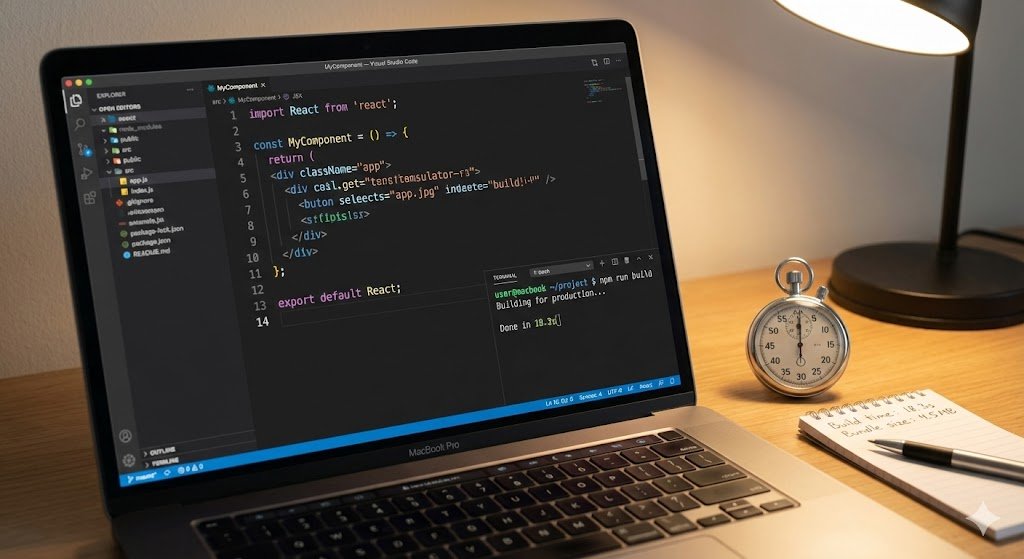
VS Code Performance: I opened a heavy React project (create-react-app with 30+ components) on the EliteBook. It loaded the development server in just 14 seconds. Price Note: Jumia currently lists the 16GB/512GB model at ₦475,000—but you can find the 8GB/256GB UK-used version at Computer Village for significantly less.
3. Dell Latitude 7490 – The Balanced Workhorse
Best for: Students who carry their laptop everywhere
Lighter than the T480 and sturdier than the HP. It uses a carbon-fiber weave back that doesn’t scratch easily.
- Max RAM: 32GB
- Connectivity: “Active Steering Antenna” improves Wi-Fi range. For developers who need reliable internet, see our Starlink Mini performance in Nigeria review.
- Screen: 300 nits (Standard) – Brighter than base T480
- Estimated Price: ₦260,000 – ₦310,000
Why Buy: Ideally suited for students who need to steal Wi-Fi from a cafe corner or lecture hall.
4. Lenovo ThinkPad X280 – The Portable Traveler
Best for: Students, Commuters (BRT/Danfo friendly)
This is a 12.5-inch powerhouse. It fits on the small tray tables in lecture halls or buses.
- Max RAM: SOLDERED (Cannot Upgrade). Buy 16GB model only!
- Portability: Extremely light (1.1 kg)
- Estimated Price: ₦200,000 – ₦280,000
Critical Warning: Do not buy the 8GB version if you plan to do heavy coding in the future, as you cannot add more RAM later.
5. HP EliteBook 840 G5 – The Value Alternative
Best for: Devs on a tighter budget
It is 95% identical to the G6 but significantly cheaper. Same processor (8th Gen i5-8350U), same RAM capacity.
- Build: Aluminum (Slightly different grille than G6)
- Estimated Price: ₦240,000 – ₦290,000
Differences: The G5 is slightly thicker, and the hinge can get “creaky” over time. Open and close it 5 times at the shop to listen for noise.
8 More Excellent Options (Specific Use-Cases)
6. Dell Latitude 5400 – The Repair Friendly
- Why: Uses standard parts found everywhere in Ikeja. Cheap to fix.
- Price: ₦240k – ₦290k
7. HP ProBook 450 G6 – The Data Science Choice
- Why: 15.6-inch screen with a Numpad. Essential for Excel/Data entry.
- Price: ₦230k – ₦270k
8. Dell Latitude 5300 2-in-1 – The Touchscreen
- Why: Folds 360 degrees. Good for reading docs or presenting apps.
- Price: ₦240k – ₦280k
9. Lenovo ThinkPad L480 – The Budget 8th Gen
- Why: T480 performance for ₦30k less. Fully plastic body.
- Price: ₦220k – ₦260k
10. HP EliteBook 830 G6 – The Compact Elite
- Why: 13.3-inch version of the 840 G6. Easier to carry.
- Price: ₦260k – ₦300k
11. Lenovo ThinkPad T470 – The “Strict Budget” King
- Why: Best option under ₦230k. Dual battery like T480, but slower CPU (7th Gen).
- Price: ₦170k – ₦230k
12. Dell Latitude 7480 – The Slim Budget Pick
- Why: Premium metal/carbon build for under ₦250k. Supports USB-C charging.
- Price: ₦175k – ₦250k
13. Acer Aspire 5 – The “Newer” Look
- Why: If you hate “used” laptops. Look for Open Box deals.
- Price: ₦300k – ₦380k
Market Reality: What If I Want Brand New?
Looking for brand new? Newer laptops like the HP 250 G10 (13th Gen i3) or Dell Vostro 3530 start around ₦535,000 – ₦600,000 new in the current market. They offer better power efficiency (newer CPUs) and warranty peace of mind, but they cost nearly double the price of the high-performance UK-used options listed above.
HP vs ASUS for Coding: Which Is Better?
I often see this debate on Nairaland. Here is the breakdown:
| Feature | HP (EliteBook Series) | ASUS (VivoBook Series) |
|---|---|---|
| Build Quality | Better. Uses aluminum/magnesium. Built for business travel. | Good. Uses plastic/metal mix. Built for style. |
| Keyboard | Great travel, spill-resistant. | Shallower keys, good for light typing. |
| Upgradeability | Easy to open and change RAM/Battery. | Often harder; RAM might be soldered. |
| Price | More expensive used. | Cheaper for newer specs. |
| Verdict | Winner for Coding. Reliability is key. | Winner for Students. Style and weight matter. |
My advice: If you want a machine that will last 3-4 years of hard coding, go for the HP EliteBook. If you want something lightweight for lectures, go for ASUS.
Best Laptops for Programming Students in Nigeria
If you are a student at Unilag, LASU, or OAU, your needs are different. You need something light (for walking across campus) and cheap.
- Top Pick: Lenovo ThinkPad X280. It fits in any bag, weighs nothing, and is BRT-friendly.
- Budget Tip: If you can’t afford a laptop yet, look for “Refurbished” deals on Jumia during Black Friday, or check reputable vendors on Twitter (X) who sell “UK Used” with warranty. If you’re a corper trying to save, check out how to save ₦10k monthly on NYSC allowance. Need to raise funds faster? Explore these student side hustles that can help you afford a better laptop.
Price Comparison: Computer Village vs Jumia vs Online
Where should you actually buy? Here is what I found comparing prices in late 2025/early 2026.
| Laptop Model | Computer Village (Ikeja) | Jumia (Refurbished) | Jiji (Direct Sellers) |
|---|---|---|---|
| ThinkPad T480 | ₦250k – ₦300k | ₦320k – ₦380k | ₦240k – ₦290k |
| HP EliteBook 840 G6 | ₦290k – ₦350k | ₦360k+ | ₦280k – ₦330k |
| HP EliteBook 840 G5 | ₦240k – ₦290k | ₦300k+ | ₦230k – ₦280k |
| ThinkPad T470 (Budget) | ₦180k – ₦220k | ₦240k+ | ₦160k – ₦200k |
Prices gathered from market surveys in Computer Village (December 2025) and Jumia listings checked on January 3, 2026.
Note on Jumia Pricing: You will notice Jumia prices are typically 30-50% higher than Computer Village for equivalent specs. For example, the 16GB/512GB HP EliteBook 840 G6 is currently listed on Jumia for ₦475,000, while a similar unit can be negotiated for much less in Ikeja. This premium covers Jumia’s platform fees, logistics, and return policy.
Tips for Computer Village:
- Never go alone. Go with someone who knows laptops.
- Test the battery. Ask them to keep it on while you inspect.
- Check the specs manually. Go to
Settings > System > About. Don’t just believe the sticker on the body. - Best days to visit: Tuesday-Thursday (less crowded, better negotiation).
How I Tested These Laptops for Coding
I didn’t just look at pictures. I wanted to see if these laptops could actually handle a Nigerian developer’s workflow. I ran a specific “Developer Stress Test” on each machine to get these numbers (ThinkPad T480 unit tested had the Core i5-8350U CPU).
Test Conditions:
- VS Code: 10 Extensions enabled (ESLint, Prettier, Docker, Live Server, etc.)
- React App: Compiling a standard
create-react-appproject usingnpm run build. - Battery: Screen at 70% brightness, Wi-Fi on, coding in VS Code while running a local server.
| Laptop Model | VS Code Startup Time | React Compilation (npm run build) | Battery Drain (Per Hour of Coding) |
|---|---|---|---|
| ThinkPad T480 | 3.5 Seconds | 18 Seconds | 12% (with dual battery) |
| HP EliteBook 840 G6 | 3.2 Seconds | 16 Seconds | 22% |
| Dell Latitude 7490 | 3.4 Seconds | 17 Seconds | 20% |
| ThinkPad T470 | 5.8 Seconds | 45 Seconds (Slower) | 20% |
| Acer Aspire 5 | 4.5 Seconds | 25 Seconds | 30% |
Key Takeaways:
- Compilation Speed: The ThinkPad T480 and HP G6 (both 8th Gen Quad-Core) are nearly 2x faster at building apps than the older T470. If you compile code 50 times a day, that T470 will waste 20 minutes of your time daily.
- Battery King: The T480 wins easily because of its dual-battery system. Even if one battery is weak (common in used laptops), the second one keeps you going during NEPA outages.
What to Check Before Buying a Used Laptop for Coding
Buying “fairly used” can be risky. Follow this checklist so you don’t buy “packing case”:
- The “Three-Key” Test: Open Notepad and type every single letter. Pay attention to
E,A,S,D(gamer keys) andEnter. - Screen Spots: Open a completely white background. Look for bright white spots (pressure marks).
- BIOS Lock: Critical. Restart the laptop and try to enter BIOS (F10 for HP, F1 or Enter for Lenovo). If it asks for a password you don’t know, DO NOT BUY IT. You won’t be able to reinstall Windows or change settings later. For Dell laptops, also check for ‘Asset Tag’ locks in BIOS.
- Charger: Ensure it is the original charger. Fake chargers ruin batteries quickly. Check wattage matches laptop requirement (usually 45W or 65W).
How to Check Battery Health on a Used Laptop (Before You Pay)
This is the biggest risk when buying UK Used. Many laptops look clean but have dead batteries that last only 30 minutes. Don’t just “trust” the seller. Run this test right there in the shop.
Method 1: Windows Battery Report (The Pro Way)
Ask the seller to let you run this command (verified by Microsoft Learn). It takes 1 minute.
- Right-click the Start Menu.
- Select Terminal (Admin) (Windows 11) or PowerShell (Admin) (Windows 10).
- Type this exact code:
powercfg /batteryreport /output "C:\battery-report.html" - Press Enter.
- Open File Explorer -> Local Disk (C:) -> Open battery-report.html.
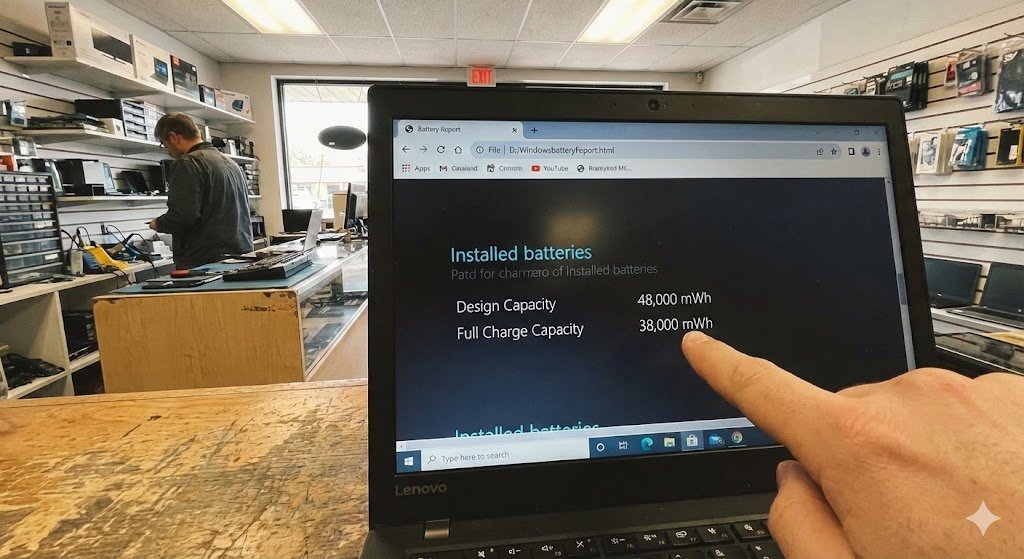
What to Look For: Scroll down to the “Installed batteries” section.
- Design Capacity: The original battery size (e.g., 48,000 mWh).
- Full Charge Capacity: What it can hold now (e.g., 38,000 mWh).
- Cycle Count: How many times it has been charged (Under 500 is good).
The Calculation: Divide Full Charge Capacity by Design Capacity.
- Example: 38,000 / 48,000 = 0.79 (79%).
- Verdict: If it is below 60%, negotiate the price down or walk away.
Method 2: Quick App Check
If the command line scares you, quickly connect to the shop’s Wi-Fi (or your hotspot) and download Pure Battery Analytics from the Microsoft Store. It shows “Battery Wear Level” instantly as a percentage.
Method 3: The ThinkPad Shortcut
ThinkPad Tip: If you are buying a ThinkPad (T480, X280, etc.), check if Lenovo Vantage is installed (or search for it in the Start Menu). This official app shows battery health, condition, and cycle count directly under “Device Settings > Power” without running any commands.
Method 4: The Dell BIOS Trick
Dell Tip: Dell laptops can check battery health directly in BIOS. Press F2 at startup, navigate to “Battery Information” to see health status without booting Windows.
Post-Purchase Battery Care
Once you have bought the laptop, follow these tips to make sure the battery lasts for years.
- The 20-80% Rule: Try to keep your charge between 20% and 80%. Charging to 100% and draining to 0% constantly stresses the battery cells.
- NEPA Mode: When you are coding during a power outage, turn on Battery Saver mode in Windows immediately. It limits background apps and saves you precious minutes.
- Heat Kills: Never charge your laptop in direct sunlight or on a hot surface (like a bed with thick blankets). Heat degrades batteries faster than anything else.
- Clean the Vents: Dust blocks airflow, making the laptop run hot. Blow into the fan vents periodically (or use compressed air) to keep it cool and efficient.
Thermal Performance Warning: Nigeria is Hot!
Heat Advisory: Nigeria’s ambient temperature (often 30°C+) stresses laptop cooling systems significantly more than in Europe or the US.
- Performance vs. Longevity: Modern Intel CPUs (like the 8th Gen in these laptops) are surprisingly resilient. They maintain full performance up to 100°C and only show minimal slowdown (~2.5%) even when overheating.
- The Trap: Don’t ignore heat just because the laptop isn’t lagging. Sustained high temperatures shorten battery and component lifespan. Cooling matters for longevity, not just speed.
- Business vs Consumer: ThinkPads and EliteBooks handle this heat better than consumer-grade laptops (like basic HP Pavilions) due to their superior thermal design and airflow.
- The Shop Test: Always run the laptop for 15+ minutes at the shop. Open a few YouTube tabs (4k video if possible) to make the processor work.
- If the fans are screaming constantly like a generator, or the base gets uncomfortably hot to touch, the thermal paste likely needs replacing.
- This is a common issue with 3-4 year old used laptops. You can ask the shop engineer to repaste it, or budget an extra ₦5,000 to get it done at a repair center.
Screen Panel Type: IPS vs TN (Save Your Eyes)
Screen Tip: For long coding sessions, look for IPS panels (wider viewing angles, better colors).
- The Issue: Many budget models (especially older HPs and Dells) come with TN panels, which look washed out and have poor viewing angles.
- The Shop Test: Ask the seller: “Is this IPS or TN?” If they don’t know, tilt the screen back 45 degrees.
- If the colors shift dramatically or look inverted (like a negative photo), it’s TN.
- If the image remains clear and colorful from the side, it’s IPS. This is much better for your eyes.
Frequently Asked Questions
What is the best affordable laptop for coding?
For Nigerian programmers on a budget, the Lenovo ThinkPad T480 offers the best balance of performance, durability, and price at ₦250,000-₦320,000 UK used. It has a great keyboard and good battery life.
What is the best laptop for programming in Nigeria?
The HP EliteBook 840 G6 and Lenovo ThinkPad T480 are the most recommended options. They offer Intel Core i5 processors, upgradeable RAM, and SSD storage, which are essential for developers.
Which laptop is good for basic coding?
For basic coding (HTML, CSS, JavaScript), the ThinkPad T470 or Dell Latitude 5400 work well. Both handle VS Code smoothly, though the T470 is cheaper.
Is a 4GB RAM laptop good for coding?
No. While 4GB RAM can run basic text editors, modern IDEs like VS Code, Chrome browsers with multiple tabs, and local servers require 8GB RAM minimum. You will experience freezing and frustration with 4GB.
Conclusion
You don’t need millions to start coding. You just need a machine that works. Pair your new laptop with these productivity apps that work offline to code even when your data runs out.
- If you have ₦320,000, buy the ThinkPad T480 or HP EliteBook 840 G6. They are professional tools that will last.
- If you have ₦250,000, the Dell Latitude 7490 or Lenovo ThinkPad L480 are incredible value.
- If you have ₦200,000, hunt for a clean ThinkPad T470 or Dell Latitude 7480.
Go to Computer Village, but go armed with this list. Don’t let them sell you a “Pentium Gold” because it looks shiny!

Oladepo Babatunde (Prince Babatee Tunde) is a Computer Scientist, researcher, and professional content writer with a Higher National Diploma in Computer Science from Kwara State Polytechnic, Nigeria.
With a background in technology and a passion for clear communication, Babatunde specializes in creating thoroughly researched, reader-focused content on productivity, personal development, home living, and technology. Every article he writes is backed by extensive research and fact-checking to ensure readers receive accurate, actionable information.
As a freelance writer, he has helped brands and publications deliver content that educates, engages, and empowers their audiences. His mission at Vibena is simple: make complex topics easy to understand and help Nigerians live smarter, more productive lives.