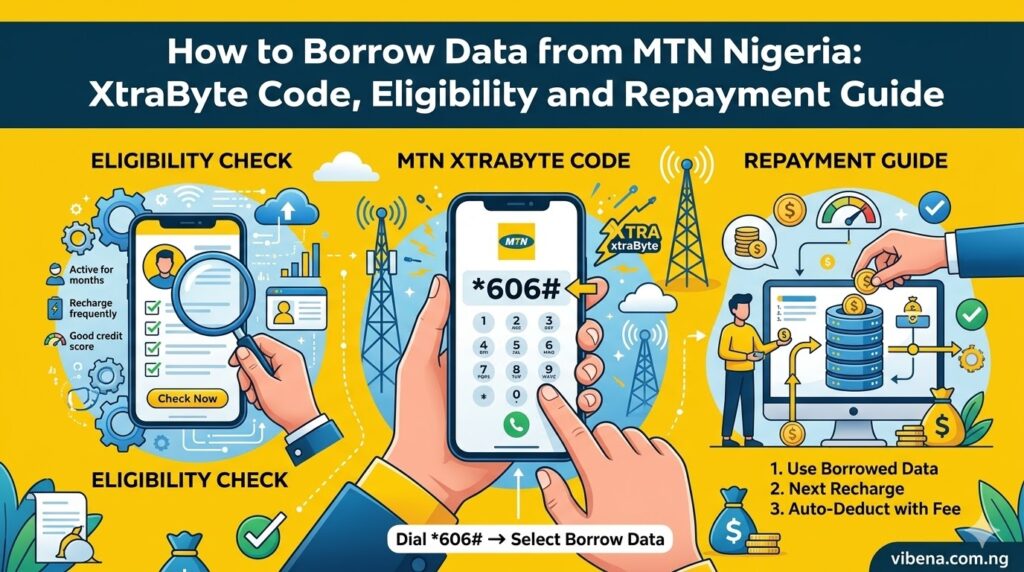
To borrow data from MTN Nigeria, dial *303# on your MTN line, select XtraByte from the menu, choose your preferred data bundle from the options displayed, and confirm the transaction. MTN credits the borrowed data to your account instantly, and the bundle cost plus a 15% service fee (VAT inclusive) gets deducted automatically from your next recharge.
That is the quick answer. But if you have ever dialed the code only to get a frustrating “you are not eligible” message, or if you are confused about how repayment actually works when you recharge, you are not alone. I got that same rejection the first time I tried borrowing data during a power outage when I desperately needed to submit a freelance article before deadline. Turns out my line was barely two months old, and I had not built enough recharge history for MTN to trust me with a data loan.
This guide covers everything you need to know about MTN’s XtraByte service, from the exact USSD codes and step-by-step instructions to eligibility requirements that trip people up, realistic borrowing limits, and the repayment process that catches some subscribers off guard. Whether you work remotely, study online, create content, or simply need emergency data when your balance hits zero, understanding how this service works saves you from being stranded offline at the worst possible moment. If you also need airtime in emergencies, our guide on how to borrow airtime from MTN covers that process in detail.
What is MTN XtraByte?
MTN XtraByte is MTN Nigeria’s official data loan service that allows eligible prepaid subscribers to borrow data on credit when they run out and pay back on their next recharge. According to the official MTN Nigeria XtraByte page, the service works similarly to MTN XtraTime (which handles airtime loans) but specifically provides emergency data bundles instead.
Think of it as a small data loan that MTN extends based on your account history and recharge behavior. You get data instantly, use it however you need, and MTN recovers the cost plus a service fee the moment you top up your line. The entire process happens digitally through USSD codes, voice calls, or the MyMTN app without visiting any physical store or speaking to a customer care agent.
Here is the critical detail that separates XtraByte from simply buying a data plan: the borrowed data sits in a separate XtraByte account, not your main data balance. When you browse, MTN draws from the XtraByte account first before touching any regular data bundles or bonuses on your line. This means your borrowed data gets used up before anything else.
I find this service genuinely useful for those moments when data finishes unexpectedly. Last month, my data ran out during a Zoom meeting with a client while working from home, and within thirty seconds of dialing *303#, I had enough data to finish the call without the client ever noticing anything happened.
Who Can Borrow Data from MTN? Eligibility Requirements
Not every MTN subscriber qualifies for XtraByte immediately. MTN uses your account activity to determine whether you are eligible, and the requirements are straightforward but non-negotiable.
According to information from the official MTN Nigeria help page, you must meet all of the following criteria:
You must be a prepaid customer. XtraByte is exclusively available to MTN prepaid subscribers. Postpaid customers cannot access this service at all.
Your SIM must be properly registered. Your MTN number needs to be linked to your NIN (National Identification Number). Unregistered lines are blocked from accessing XtraByte and several other MTN services.
You must have been on the MTN network for at least 3 months. Brand new SIM cards are not eligible. MTN needs to observe your usage pattern before extending credit.
You must have recharged at least ₦200 monthly for the past 3 months. This is the recharge history requirement that catches most people. Occasional top-ups of ₦100 here and there will not qualify you. MTN wants to see consistent spending of at least ₦200 every month for three consecutive months.
Your main account balance must be between ₦0 and ₦75. You cannot borrow data when you have significant airtime in your account. The service is designed for emergencies when your balance is genuinely low.
You must have no outstanding XtraByte loan. Any previous data loan must be fully repaid before you can borrow again, unless you are still within your credit limit. More on this important nuance later.
How to Check Your XtraByte Eligibility
Before attempting to borrow, you can verify your eligibility status using these methods:
- Dial *303#, select “My Account”, then choose option 1 to “Check Eligibility”
- Send the word STATUS as a text message to 303
- Dial 303 (voice call) and follow the prompts to check eligibility
I strongly recommend checking eligibility first rather than going straight to the borrowing menu. It saves you the frustration of navigating through options only to be rejected at the final step. For students and NYSC corps members who recently got new MTN lines, the three-month waiting period is the most common barrier. Start recharging consistently from day one so you qualify when you actually need emergency data.
How to Borrow Data from MTN Using USSD Code (*303#)
The USSD code method remains the fastest and most reliable way to borrow data from MTN. It works on every phone, requires zero internet connection, and completes in under a minute.
Step by Step Process
Step 1: Open your phone dialer and type *303#, then press the call button.
Step 2: From the menu that appears, select the option for XtraByte. On most devices, this appears as a numbered option in the USSD menu.
Step 3: MTN displays all the data bundles you are eligible to borrow based on your recharge history and credit limit. You might see options ranging from small bundles like 25MB or 50MB to larger packages like 200MB or 500MB, depending on your account standing.
Step 4: Select your preferred data bundle from the list by replying with the corresponding number.
Step 5: MTN sends you a message showing the bundle cost plus the applicable 15% service fee. Review the total amount carefully.
Step 6: Confirm the transaction by selecting “Yes” or the confirmation option.
Step 7: You receive a confirmation SMS from MTN stating that the borrowed data has been credited to your XtraByte account. The data becomes available instantly.
The entire process takes about 30 to 45 seconds from the moment you dial the code. According to the MTN Nigeria help center, you will not be charged anything for accessing the *303# menu itself. The only cost is the data bundle price plus the 15% service fee that gets deducted on your next recharge.
Alternative USSD Code: *312#
If *303# does not load properly on your device or times out, information from multiple Nigerian tech sources confirms that *312# works as an alternative route to the XtraByte service. The menu structure differs slightly, but you will find the same borrowing options once you navigate to the XtraByte section. Both codes ultimately access the same service.
How to Borrow Data from MTN Using IVR (Voice Call to 303)
If USSD menus feel confusing or your phone has trouble displaying them properly, the Interactive Voice Response (IVR) method lets you borrow data through a simple phone call.
Step 1: Dial 303 from your MTN line (not *303#, just the number 303).
Step 2: The system plays an announcement asking you to select your preferred language. Options include English, Igbo, Hausa, and Yoruba.
Step 3: After choosing your language, select XtraByte when prompted to choose between XtraTime and XtraByte.
Step 4: The system reads out all the data amounts available for you to borrow.
Step 5: Choose your preferred data plan from the options.
Step 6: You receive a message with the amount plus the service fee. Confirm the transaction.
Step 7: MTN credits your XtraByte account immediately and sends a confirmation SMS.
This method works well for older phones that struggle with USSD displays and for people who find voice navigation easier than reading menus on a small screen. The IVR is also completely free to access, just like the USSD code.
How to Borrow Data from MTN Using the MyMTN App
The MyMTN NG App provides the most user-friendly borrowing experience, especially if you have a smartphone with enough data to open the app (or if it is already loaded in cache).
Step 1: Download the MyMTN NG App from the Google Play Store or Apple App Store if you have not installed it already.
Step 2: Log in with your registered MTN phone number.
Step 3: On the dashboard, tap the “Borrow” option (some versions label it “XtraByte”).
Step 4: Select “Data” from the available borrowing options (the app also shows airtime borrowing under XtraTime).
Step 5: Tap “Proceed to choose data” and browse the available bundles.
Step 6: Select your preferred data bundle and confirm your choice.
Step 7: MTN sends a confirmation SMS that the borrowed data has been activated on your line.
The app provides additional convenience like viewing your borrowing history, checking your current credit limit, and seeing your outstanding loan balance all in one place. For remote workers and content creators who manage their data usage carefully, the app’s dashboard gives better visibility than USSD menus.
MTN XtraByte Service Fee and How Repayment Works
Understanding the costs and repayment mechanics prevents unpleasant surprises when you next recharge your line.
The 15% Service Fee
According to the official MTN XtraByte terms and conditions, MTN charges a service fee of 15% (including VAT) on every data bundle you borrow. This fee gets added to the bundle cost and the total amount becomes your loan.
For practical understanding, here is what that looks like:
| If You Borrow | Bundle Cost | 15% Service Fee | Total to Repay |
|---|---|---|---|
| Small bundle (e.g., ₦50 worth) | ₦50 | ₦7.50 | ₦57.50 |
| Medium bundle (e.g., ₦100 worth) | ₦100 | ₦15 | ₦115 |
| Larger bundle (e.g., ₦200 worth) | ₦200 | ₦30 | ₦230 |
How Automatic Repayment Works
Repayment happens automatically the moment you recharge your MTN line. There is no separate repayment action required. The system deducts the total owed amount (bundle cost plus service fee) from whatever airtime you load.
If your recharge amount exceeds what you owe: MTN deducts the outstanding loan amount first, then credits the remaining balance to your main account. For example, if you owe ₦115 and recharge ₦500, MTN takes ₦115 and leaves you with ₦385.
If your recharge amount is less than what you owe: MTN deducts whatever you loaded and carries the remaining balance forward. Subsequent recharges continue reducing the debt until fully cleared.
Important detail about other recharge methods: If you recharge using promotional codes like AWUF4U or similar bonus-eligible recharges, according to the MTN XtraByte terms, the borrowed amount gets deducted first from the recharge value before any associated bonuses load into your account.
One thing that surprised me initially: MTN also recovers outstanding XtraByte debts from data bundle purchases made through digital channels like the MyMTN App, Facebook, or even MoMo. If you try to buy a data bundle while owing on XtraByte, the purchase converts to monetary value in your account and goes toward paying off your loan first. This caught a friend of mine off guard when she bought data through her bank app and it seemingly vanished because it went toward her outstanding XtraByte debt instead.
How Much Data Can You Borrow from MTN?
Your borrowing limit depends entirely on your individual account activity, and MTN determines this dynamically based on several factors.
Factors That Determine Your Borrowing Limit
Recharge frequency: How often you top up your line matters more than the amounts. Consistent weekly recharges build more trust than occasional large top-ups.
Recharge amount: Higher monthly spending on your line gradually increases your credit limit over time.
Repayment history: Borrowing and repaying promptly signals reliability, which MTN rewards with higher borrowing allowances.
Account age: Older accounts with longer usage history generally qualify for larger data bundles.
Typical Data Bundle Sizes Available
Based on compiled information from multiple sources, XtraByte bundles typically fall into these categories:
Small bundles for new or light users: 25MB, 50MB. Just enough to check WhatsApp messages, load a webpage, or confirm a bank transfer.
Medium bundles for regular users: 100MB, 200MB. Sufficient for moderate browsing, sending emails, or participating in text-based group chats.
Larger bundles for consistent rechargers: 500MB and above. Adequate for video calls, uploading files, or general browsing sessions.
The specific bundles you see when you dial *303# reflect what MTN has determined you qualify for. If you only see small options like 25MB, it means you need to build more recharge history. According to information from TechCabal, the more you borrow and repay consistently, the more data MTN allows you to borrow next time.
Can You Borrow Multiple Times?
Yes. According to the official MTN XtraByte FAQ, you can borrow data multiple times as long as you remain within your credit limit. You can even borrow both data and airtime simultaneously, provided you do not exceed your total credit allowance for the month. Your monthly credit limit can increase or decrease based on your recharge activities in previous months.
How to Check Your XtraByte Balance and Loan Status
Keeping track of borrowed data and outstanding debts prevents surprises. Here are the methods:
Using USSD: Dial *303#, select “My Account”, then choose option 2 to view your account balance including any outstanding XtraByte debt.
Checking data balance: Dial *323# to see your complete data balance breakdown, which shows regular data, bonus data, and borrowed data separately.
Viewing transaction history: Dial *303#, select “My Account”, then select “Transaction History” to see past borrowing and repayment records.
Using the MyMTN App: Navigate to the Borrow section of the app to see your outstanding balance, credit limit, and borrowing history all in one view.
I make it a habit to check my balance with *323# after borrowing, just to confirm the data actually landed and to see exactly how much I have before starting whatever task prompted the emergency borrowing. For students managing tight data budgets, this monitoring habit prevents overconsumption of borrowed data that you will eventually need to repay. Our guide on MTN data plan for ₦200 and 1GB covers affordable regular plans that reduce your dependence on borrowing.
Important Rules and Limitations
Several rules govern how XtraByte works that every subscriber should know before borrowing.
Borrowed data has an expiry date. Just like regular data plans, XtraByte bundles come with their own validity period. Once the validity expires, the remaining borrowed data disappears, but you still owe the full repayment amount regardless of whether you used the data or not.
Borrowed data does not renew automatically. When your borrowed bundle expires, it simply ends. You need to initiate a new borrowing request if you need more data.
You cannot transfer borrowed data. XtraByte data cannot be gifted, shared, or transferred to another MTN number through data gifting or any other means. It stays on the line that borrowed it.
You must repay even if you did not use the data. According to the official MTN XtraByte terms, you are required to pay back the full amount borrowed even if the data was not consumed at all. This means if your borrowed data expires untouched, you still owe the bundle cost plus the 15% service fee.
Browsing stops when borrowed data runs out. If you exhaust your XtraByte data and have no other active data bundles or bonuses, your browsing session gets suspended. However, you can borrow again if you remain within your credit limit.
You cannot borrow while roaming. XtraByte is available only when you are on the MTN Nigeria home network. International roaming disables access to the borrowing service.
What to Do If MTN Says You Are Not Eligible
Getting the “not eligible” message when you genuinely need emergency data feels incredibly frustrating. Here are specific steps to fix common eligibility issues:
Your Line is Too New
If your MTN SIM is less than three months old, no workaround exists. You need to wait until you hit the three-month mark while recharging at least ₦200 per month consistently. Start building your recharge history immediately so you qualify as soon as possible.
Insufficient Recharge History
The ₦200 monthly minimum for three months is firm. If you have been recharging irregularly or in smaller amounts, increase your recharge frequency and amounts. Some subscribers report that higher, more frequent recharges accelerate eligibility beyond the minimum requirements.
Outstanding Loan Balance
If you have an unpaid XtraByte or XtraTime loan, clear it by recharging your line. The system automatically deducts the debt. Once cleared, try borrowing again. If you want to stop unwanted deductions from services you did not subscribe to, our guide on how to cancel all subscriptions on MTN helps you clean up your account.
NIN Registration Issue
Ensure your NIN is properly linked to your MTN number. Dial *785# to check your NIN registration status. Unlinked numbers face restrictions across multiple MTN services, not just XtraByte.
Temporary System Issues
Sometimes the USSD system experiences congestion, especially during peak hours. If *303# times out or shows errors, try the alternative code *312#, use the IVR by dialing 303, or access XtraByte through the MyMTN App. You can also try again during off-peak hours.
Tips for Managing Borrowed Data Wisely
Borrowed data costs more than regular data because of the 15% service fee. Using it efficiently means you get maximum value from every megabyte.
Disable background data immediately after borrowing. Apps like Instagram, Facebook, and Twitter consume data in the background even when you are not actively using them. On Android, go to Settings, then Network, then Data Usage, and restrict background data for non-essential apps. On iPhone, go to Settings, then Cellular, and toggle off data access for apps you do not need right now.
Avoid video streaming on borrowed data. A single YouTube video can consume 50MB to 200MB depending on quality. Reserve borrowed data for essential tasks like sending messages, checking emails, or completing urgent work.
Use lite versions of apps. Facebook Lite, Twitter Lite, and similar stripped-down versions consume significantly less data than their full counterparts. If you regularly rely on borrowed data, keeping these installed alongside full versions gives you a low-data option.
Connect to WiFi as soon as possible. The faster you get back on WiFi, the less borrowed data you burn through. For remote workers setting up reliable home internet, our guide on review of best data plans for streamers in Nigeria covers plans that prevent you from needing emergency data in the first place.
Monitor consumption in real time. Dial *323# periodically while using borrowed data to track how quickly you are consuming it. This prevents the shock of finishing your borrowed bundle faster than expected.
Alternatives to Borrowing Data on MTN
Borrowing should be your emergency option, not your primary data strategy. The 15% service fee adds up quickly if you rely on XtraByte regularly.
Ask someone to transfer data to your line. MTN allows data gifting between subscribers. If a friend or family member has spare data, they can send it to your number by dialing 3127# or 1317# and following the transfer prompts. This costs nothing beyond the data itself.
Use the MTN DataMe service. If you need data and know someone willing to help, dial *312*7*3# to send a data request to their number. They receive a prompt to accept or decline sharing data with you.
Subscribe to affordable regular plans. MTN offers daily plans starting as low as ₦50 for basic browsing. Keeping even a small active plan prevents the panic that leads to borrowing at premium rates. If you are watching every naira, our guide on MTN Tuesday Awoof code covers promotional deals that stretch your budget further.
Pay-As-You-Go browsing. If you have some airtime but no data plan, dial *312*200# to activate PAYG browsing at ₦3.07/MB. This costs more per megabyte than regular data plans but less than borrowing with the 15% fee for very small usage amounts.
Deactivate services draining your balance. Unknown subscriptions and value-added services often eat into airtime that could go toward data. Our guide on how to deactivate MTN XtraTime helps you stop unwanted deductions.
Frequently Asked Questions
What is the code to borrow data from MTN?
The primary code to borrow data from MTN is *303#. Dial it on your MTN line, select XtraByte from the menu, choose your preferred data bundle, and confirm. The alternative code *312# also works if *303# does not load properly on your device.
How much data can I borrow from MTN?
The amount varies per subscriber based on recharge history and account activity. New eligible users typically see small bundles like 25MB or 50MB, while consistent rechargers may access 200MB, 500MB, or more. Dial *303# and select XtraByte to see your specific available options.
What is the service fee for borrowing MTN data?
MTN charges a 15% service fee including VAT on every XtraByte transaction. If you borrow a data bundle worth ₦100, you pay back ₦115 on your next recharge. The fee applies regardless of whether you use the borrowed data or not.
Can I borrow data from MTN if I have an existing loan?
Yes, you can borrow additional data even with an outstanding loan, provided you remain within your overall credit limit. You can also borrow both data and airtime simultaneously as long as the total does not exceed your monthly credit cap.
How do I pay back borrowed MTN data?
Repayment is fully automatic. The moment you recharge your MTN line, the system deducts the outstanding amount (data cost plus 15% service fee) before crediting any remaining balance to your main account. If your recharge is less than the debt, subsequent recharges continue reducing the balance.
Can I transfer borrowed data to another person?
No. According to the official MTN XtraByte terms, you cannot transfer, gift, or share data from your XtraByte account to any other MTN number through any means. The borrowed data stays exclusively on the line that initiated the loan.
Does borrowed data expire?
Yes, borrowed data bundles have their own validity period just like regular data plans. Once the validity expires, any unused borrowed data disappears, but you still owe the full repayment amount including the service fee.
Why does MTN say I am not eligible to borrow data?
Common reasons include: your SIM is less than 3 months old, your monthly recharge history is below ₦200 for three consecutive months, your main account balance exceeds ₦75, your NIN is not linked to your number, or you have exceeded your monthly credit limit.
Knowing how to borrow data from MTN through XtraByte ensures you never find yourself completely stranded without internet access during critical moments. Whether you need to finish a freelance project, submit a school assignment, join an important video call, or simply stay connected during a power outage, XtraByte provides that emergency lifeline. Just remember that borrowed data costs more than regular plans because of the 15% service fee, so treat it as a safety net rather than your default data strategy. Build consistent recharge habits to increase your borrowing limit over time, and always monitor your outstanding balance to avoid unpleasant deductions when you top up.

Oladepo Babatunde (Prince Babatee Tunde) is a Computer Scientist, researcher, and professional content writer with a Higher National Diploma in Computer Science from Kwara State Polytechnic, Nigeria.
With a background in technology and a passion for clear communication, Babatunde specializes in creating thoroughly researched, reader-focused content on productivity, personal development, home living, and technology. Every article he writes is backed by extensive research and fact-checking to ensure readers receive accurate, actionable information.
As a freelance writer, he has helped brands and publications deliver content that educates, engages, and empowers their audiences. His mission at Vibena is simple: make complex topics easy to understand and help Nigerians live smarter, more productive lives.