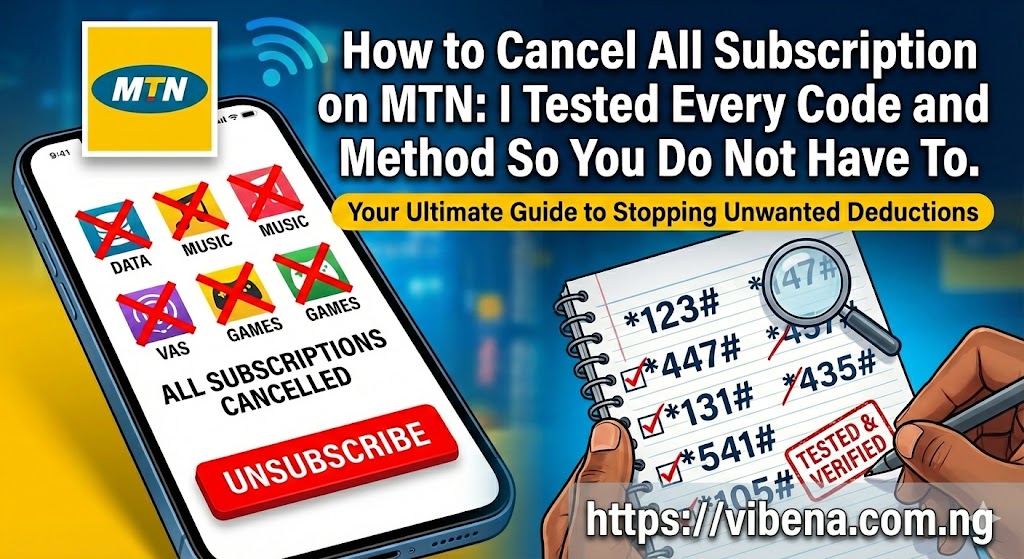
If you have ever checked your MTN balance only to find it mysteriously lower than expected, you are not alone. I have been there more times than I care to admit. One morning in January, I recharged N1,000 of airtime, made no calls, used no data, and by evening my balance had dropped to N200. That experience pushed me to figure out exactly how to cancel all subscription on MTN once and for all.
After spending weeks testing every USSD code, SMS command, and app feature I could find, I discovered that MTN actually provides multiple ways to stop these deductions. The problem is that most Nigerians do not know these methods exist, or they try one code that does not work and give up. This guide contains every working method I personally verified, complete with the specific codes and step by step instructions you need.
Whether you want to learn how to cancel all subscription on MTN Nigeria using USSD codes, through SMS, or via the MyMTN app, this comprehensive guide covers everything. By the time you finish reading, you will have complete control over your airtime and never wonder where your credit disappeared to again.
Why Your MTN Airtime Keeps Disappearing Without Your Knowledge
Before I show you how to cancel all subscription on MTN, let me explain why these deductions happen in the first place. Understanding the source of the problem helps you prevent it from recurring.
The Hidden Services Draining Your Credit
When I finally investigated my own account, I discovered I had five active subscriptions I never consciously signed up for. According to the official MTN Nigeria support page, deductions typically come from these sources:
Data Auto Renewal happens when your data plan expires and MTN automatically renews it using your airtime balance. This is actually a convenience feature that many people activate without realizing the implications. If you subscribe to a weekly data plan and forget about it, MTN will keep renewing that plan every seven days as long as you have sufficient airtime.
Value Added Services include content subscriptions like news alerts, horoscopes, jokes, music streaming, and entertainment content. These services often cost between N50 and N200 daily. The tricky part is that some of these get activated when you dial certain numbers, click links in messages, or even browse certain websites on your phone.
Caller Tunes replace the regular ringing sound callers hear with music. While some people intentionally subscribe to caller tunes, others activate them accidentally and forget to cancel. These typically cost around N100 weekly.
MTN Play Subscriptions provide access to games, videos, and other entertainment content. Similar to caller tunes, these often get activated through promotional messages or website clicks.
Social Media Bundles for WhatsApp, Instagram, Facebook, and Twitter can also auto renew. If you subscribed to a daily WhatsApp bundle for N25 or a monthly Instagram bundle, these will keep renewing automatically unless you specifically turn off auto renewal.
XtraValue Plans combine voice minutes and data in bundled packages. These plans also feature auto renewal by default, which means your airtime gets deducted at regular intervals.
My Personal Wake Up Call
The moment I realized how serious this issue was happened when I was trying to make an urgent call and discovered my balance was zero. I had recharged just two days earlier. After checking my subscription status, I found an MTN Play subscription charging me N100 daily, a caller tune I did not remember activating costing N100 weekly, and a news alert service taking N50 every day.
In just one week, these three services had consumed N1,550 of airtime. That experience taught me the importance of regularly checking and knowing how to cancel all subscription on MTN. Now I check my subscriptions at least once a month, and I recommend you do the same.
If you are trying to manage your finances better, understanding where your airtime goes is just as important as tracking your expenses. You might find our guide on the cost of living in Lagos Nigeria helpful for broader budgeting strategies.
How to Check All Active Subscriptions on MTN Before Cancelling
Before you start cancelling services, you need to know exactly what is active on your line. I learned this the hard way when I cancelled some subscriptions but missed others, only to continue experiencing deductions. Here is how to get a complete picture.
Method 1: Using the *305# Code
This is the most comprehensive method for checking Value Added Services on your account.
Dial *305# on your MTN line. When the menu appears, select the option for Active Services. You will see a complete list of all VAS subscriptions currently deducting from your account. This includes content services, promotional subscriptions, and entertainment packages.
According to the official MTN Nigeria support page, you do not need to cancel all your services at once. When you dial *305#, you can either delete one or all your services, depending on what you want to delete.
I recommend writing down or taking a screenshot of everything you see. This becomes your checklist for what needs to be cancelled.
Method 2: Using the *312# Code for Data Subscriptions
Since data plans have their own management system, you need a different code to check these.
Dial *312# on your phone. From the menu, select option 1 for Data Plans. Then select option 10 for Manage Data. You will see all your active data subscriptions and whether auto renewal is enabled for each one.
This method specifically shows data related subscriptions, which are often the biggest source of unexpected deductions for heavy data users. If you want to understand MTN data plans better, our guide on MTN data plan 200 for 1GB explains the available options.
Method 3: Using the *131# Code
The *131# code provides another entry point to your subscription management.
Dial *131# and select the option for My Subscriptions. You will see active services on your line and can cancel them individually or choose Cancel All if that option appears on your menu.
Method 4: Using the 1235*1# Code
This code lets you check your existing data plan and subscription status quickly.
Dial *123*5*1# and reply with 2 to check your existing plan. This gives you a quick overview of what is currently active on your line.
Method 5: Sending STATUS via SMS
If you prefer text messages over USSD menus, this method works well.
Open your messaging app and type STATUS in capital letters. Send this message to 312. MTN will reply with a list of your active data subscriptions and their auto renewal status.
This method serves as an excellent verification tool after you have cancelled subscriptions using other methods. I use it as my final check to confirm that everything has been properly deactivated.
Method 6: Using the MyMTN App
The MyMTN app provides the most visual and user friendly way to check your subscriptions.
Download the MyMTN NG app from Google Play Store or Apple App Store if you have not already. Log in with your MTN number. Navigate to Manage Services or My Subscription in the menu. The app displays all active services in one place, making it easy to see everything at a glance.
For those who prefer managing things through apps, our guide on productivity apps that work offline includes other useful tools for Nigerian users.
How to Cancel All Subscription on MTN at Once: The Complete Guide
Now that you know what is active on your line, here is how to cancel everything. I have organized these methods from quickest to most thorough, based on my own testing.
The *305# Master Code for VAS Services
The *305# code is your primary tool for cancelling Value Added Services. Here is exactly how to use it:
Dial *305# on your MTN line. When the menu loads, select the option for Active Services. You will see all currently active subscriptions listed. Look for and select the option to cancel All services. Confirm your cancellation when prompted.
This single action cancels all your content subscriptions, promotional services, and VAS packages at once. MTN will send you a confirmation message for each cancelled service.
What this method cancels: Content subscriptions, news alerts, entertainment services, promotional packages, and most Value Added Services.
What this method does not cancel: Data auto renewal and some specific services like caller tunes require separate cancellation.
Using *131# for Subscription Management
The *131# code provides another comprehensive way to manage and cancel subscriptions on your MTN line.
Dial *131# on your phone. When the menu appears, select the option for My Subscriptions. You will see all active services on your account. From here, you can cancel services individually by selecting each one and choosing the cancel option. Some menu versions also display a Cancel All option if available on your account.
This method works particularly well when *305# is experiencing network congestion or when you want a different interface for managing your subscriptions. MTN will send SMS confirmations for each service you cancel through this menu.
Cancel All Data Auto Renewal via SMS
This is the fastest way to stop all data plans from renewing automatically.
Open your messaging app on your phone. Type STOPDATA in capital letters. Send this message to 131. Wait for the confirmation message from MTN.
This command tells MTN to disable auto renewal for all your active data plans. Your current data allocation will remain active until it expires, but no new data will be purchased automatically when it runs out.
I use this method whenever I want to ensure complete control over my data spending. It takes less than thirty seconds and prevents any surprise data deductions.
Bulk SMS Cancellation Using 131
For a quick attempt to cancel all subscriptions at once via SMS, open your messaging app and type STOP ALL in capital letters. Send this message to 131. MTN will attempt to cancel all active subscriptions on your account and send confirmation messages for successful cancellations.
Alternatively, you can send CANCEL to 131 to achieve the same result. This method is particularly useful when USSD menus are slow or unresponsive during peak network hours.
I tested this method alongside the *305# approach and found it helpful as a backup option. Some subscriptions that did not appear in the USSD menu were caught by this SMS method, so I now recommend using both for complete coverage.
The *312# Method for Data Auto Renewal
If you prefer USSD menus or the SMS method did not work for some reason, this approach achieves the same result for data subscriptions.
Dial *312# on your MTN line. Select option 1 for Data Plans. Select option 10 for Manage Data. Select option 3 for Cancel Auto Renewal. Confirm your selection.
Alternatively, you can dial *312*1*12# directly to reach the Manage Data menu faster. Then select option 3 to cancel auto renewal.
You can also connect to ZIGI, MTN’s self service bot, by dialling 312 directly. Press 1 to check auto renewal status or press 2 to cancel auto renewal.
This method walks you through each active data subscription and lets you disable auto renewal for each one. It takes slightly longer than the SMS method but gives you more visibility into what you are cancelling.
How to Cancel Specific MTN Data Plans Using SMS Codes
Sometimes you want to keep some subscriptions but cancel others. Here is a complete reference of the SMS codes for cancelling specific data plans.
Standard Data Bundle Cancellation Codes
To cancel a specific data plan, send NO followed by the plan code to 131. For example, if you want to cancel the 750MB weekly plan, send NO103 to 131.
Here are the codes for common data plans:
Daily Plans:
| Data Plan | Price | Cancel Code | Send To |
|---|---|---|---|
| 25MB | N50 | NO114 | 131 |
| 75MB | N100 | NO104 | 131 |
| 1GB | N350 | NO155 | 131 |
2-Day Plans:
| Data Plan | Price | Cancel Code | Send To |
|---|---|---|---|
| 200MB | N200 | NO113 | 131 |
| 2GB | N500 | NO154 | 131 |
Weekly Plans:
| Data Plan | Price | Cancel Code | Send To |
|---|---|---|---|
| 350MB | N300 | NO102 | 131 |
| 750MB | N500 | NO103 | 131 |
Monthly Plans:
| Data Plan | Price | Cancel Code | Send To |
|---|---|---|---|
| 1.5GB | N1,000 | NO106 | 131 |
| 2GB | N1,200 | NO130 | 131 |
| 3GB | N1,500 | NO109 | 131 |
| 3.5GB | N2,000 | NO110 | 131 |
| 6.5GB | N3,500 | NO107 | 131 |
| 11GB | N5,000 | NO116 | 131 |
| 25GB | N10,000 | NO117 | 131 |
| 60GB | N20,000 | NO118 | 131 |
| 100GB | N30,000 | NO138 | 131 |
3-Month Plans:
| Data Plan | Price | Cancel Code | Send To |
|---|---|---|---|
| 120GB | N50,000 | NO133 | 131 |
| 150GB | N70,000 | NO134 | 131 |
After sending any of these codes, MTN will confirm that auto renewal has been disabled for that specific plan.
Social Media Bundle Cancellation Codes
Social media bundles have their own set of cancellation codes. Send these to 131:
WhatsApp Plans:
| Duration | Cancel Code | Send To |
|---|---|---|
| Daily | STOPWAD | 131 |
| Weekly | STOPWAW | 131 |
| Monthly | STOPWAM | 131 |
Facebook Plans:
| Duration | Cancel Code | Send To |
|---|---|---|
| Daily | STOPFBD | 131 |
| Weekly | STOPFBW | 131 |
| Monthly | STOPFBM | 131 |
Instagram Plans:
| Duration | Cancel Code | Send To |
|---|---|---|
| Daily | STOPINSD | 131 |
| Weekly | STOPINSW | 131 |
| Monthly | STOPINSM | 131 |
Twitter Plans:
| Duration | Cancel Code | Send To |
|---|---|---|
| Daily | STOPTWTD | 131 |
| Weekly | STOPTWTW | 131 |
| Monthly | STOPTWTM | 131 |
WeChat Plans:
| Duration | Cancel Code | Send To |
|---|---|---|
| Daily | STOPWCD | 131 |
| Weekly | STOPWCW | 131 |
| Monthly | STOPWCM | 131 |
Eskimi Plans:
| Duration | Cancel Code | Send To |
|---|---|---|
| Daily | STOPESKD | 131 |
| Weekly | STOPESKW | 131 |
| Monthly | STOPESKM | 131 |
If you stream content regularly and want to understand your data options better, check out our review of best data plans for streamers in Nigeria.
XtraValue Plan Cancellation Codes
XtraValue plans combine voice and data, and they require specific codes to cancel. Send these to 131:
XtraData Bundles:
| Plan | Cancel Code | Send To |
|---|---|---|
| N300 | NOD300 | 131 |
| N500 | NOD500 | 131 |
| N1,000 | NOD1000 | 131 |
| N2,000 | NOD2000 | 131 |
| N5,000 | NOD5000 | 131 |
| N10,000 | NOD10000 | 131 |
| N15,000 | NOD15000 | 131 |
| N20,000 | NOD20000 | 131 |
XtraTalk Bundles:
| Plan | Cancel Code | Send To |
|---|---|---|
| N300 | NOV300 | 131 |
| N500 | NOV500 | 131 |
| N1,000 | NOV1000 | 131 |
| N2,000 | NOV2000 | 131 |
| N5,000 | NOV5000 | 131 |
| N10,000 | NOV10000 | 131 |
| N15,000 | NOV15000 | 131 |
| N20,000 | NOV20000 | 131 |
To cancel any XtraValue plan quickly, send NOXTRA to 312. You can also dial *312# and navigate to cancel your XtraValue subscription.
MTN International Calling Bundle Cancellation
If you subscribed to MTN international calling bundles, here is how to cancel auto renewal:
| Plan | Cancel Code | Send To |
|---|---|---|
| N300 (20 mins) | NOIDB300 | 131 |
| N500 (40 mins) | NOIDB500 | 131 |
| N1,500 (150 mins) | NOIDB1500 | 131 |
MTN BlackBerry Plan Cancellation
For BlackBerry data plans, send NO to 21600 to cancel auto renewal.
Cancelling Third Party Value Added Services
Some subscriptions on your MTN line come from third party content providers rather than MTN directly. These services often slip through when you use the *305# cancellation because they operate on separate systems.
To cancel third party VAS, open your messaging app and type STOP. Send this message to 2442. This command targets many third party content services that the standard MTN cancellation codes might not reach.
When I first discovered this code, I found two content subscriptions that had been charging me N50 daily for weeks. Neither appeared when I dialled *305#, but sending STOP to 2442 cancelled both immediately. I now include this step in my monthly subscription audit routine.
How to Cancel MTN Caller Tunes and MTN Play
These two services catch many people off guard because they operate separately from regular data and VAS services.
Cancelling Caller Tunes
Caller Tunes replace the ringing sound callers hear with music. To cancel:
Open your messaging app. Type NO and send it to 4100. Wait for the confirmation message.
Alternatively, you can send NO to 21600 to achieve the same result.
I discovered I had caller tunes active on my line when a friend mentioned the song that played when she called me. I had no memory of subscribing, but a quick SMS to 4100 cancelled it immediately.
Cancelling MTN Play
MTN Play provides games, videos, and entertainment content. To cancel:
Open your messaging app. Type STOP and send it to 5005. Wait for the confirmation message.
You can also dial *123# and navigate to the MTN Play section to manage your subscription through the USSD menu.
How to Cancel All Subscription on MTN Online Using the MyMTN App
For those who prefer a visual interface, the MyMTN app provides the most user friendly experience for managing subscriptions.
Step by Step App Cancellation Process
First, download the MyMTN NG app from the Google Play Store if you use Android or the Apple App Store if you use iPhone. The app is free and works on most smartphones.
Open the app and tap on Let’s Get Started. Choose your sign in option from Apple, Google, Facebook, or Phone Number. If you select phone number, enter your MTN number and click Continue. Type in the six digit OTP code sent to your line to verify your account.
Once logged in, navigate to My Subscription or Manage Services in the menu. You will see a list of all active subscriptions on your account. Toggle off Auto Renewal for each active bundle. Tap Turn Off to confirm.
Wait for SMS confirmation after each action. Keep these confirmations as proof of your cancellation requests.
According to the official MTN Nigeria website, the app also allows you to toggle auto renewal on or off for your data bundles. Navigate to your active bundle and use the toggle switch to control whether it renews automatically when it expires.
Using the MyMTN Web Platform
If you do not want to use the app, MTN also provides the MyMTN Web platform. The process is simple:
Visit the MyMTN Web portal. Log in with your phone number, username, and password. Enter the OTP sent to your line. Go to My Subscription. Toggle off the auto renewal button for each service.
This option is useful if you prefer using a computer or do not have the MyMTN App installed.
Why I Prefer the App Method Sometimes
While USSD codes are faster, I find the app useful when I want to see all my subscriptions in one organized view. It also helps when I want to keep some subscriptions but cancel others, as I can make selective choices without memorizing specific codes.
The downside is that the app requires data to function, which creates a chicken and egg situation if you have run out of data. In those cases, the USSD methods work better since they do not require internet access.
How to Cancel MTN Data Share Auto Renewal
If you share data bundles with other MTN users, these can also auto renew. To stop this:
Dial *312*5# on your MTN line. Select Manage Data Share. Cancel auto renewal for shared plans.
This ensures that shared plans do not continue to deduct airtime without your knowledge.
How to Stop MTN from Deducting My Credit: A Complete Checklist
Based on everything I have learned, here is the systematic approach I now use to ensure MTN stops all unwanted deductions. I recommend following this checklist in order.
Step 1: Check What Services Are Active
Dial *305# and view Active Services. Also send STATUS to 312 to get a complete picture of all subscriptions on your line. You can also dial *123*5*1# and reply 2 to check your existing plan.
Step 2: Cancel All VAS and Content Services
Dial *305# and select the option to cancel all services. This handles the bulk of Value Added Services.
Step 3: Cancel All Subscriptions via SMS Backup
Send STOP ALL to 131 as an additional safety measure to catch any services the USSD method might miss.
Step 4: Cancel All Data Auto Renewal
Send STOPDATA to 131 via SMS. This prevents any data plan from renewing automatically.
Step 5: Cancel Data Auto Renewal via USSD
Dial *312#, select Data Plans, then Manage Data, then Cancel Auto Renewal. This provides an alternative path and confirms the SMS cancellation worked.
Step 6: Cancel Third Party VAS
Send STOP to 2442 to catch third party content services that operate outside the main MTN subscription system.
Step 7: Cancel Caller Tunes
Send NO to 4100. Alternatively, send NO to 21600 for the same result.
Step 8: Cancel MTN Play
Send STOP to 5005 to deactivate any entertainment subscriptions.
Step 9: Cancel XtraValue Plans
Send NOXTRA to 312 to disable combined voice and data bundle auto renewal. You can also dial *312# and cancel from the menu.
Step 10: Check for XtraTime Loans
Dial *303# and verify whether you owe money from borrowed airtime. Outstanding loans cause deductions when you recharge. If you need airtime urgently in the future, our guide on code to borrow airtime from MTN explains how this service works responsibly.
Step 11: Verify Everything is Cancelled
Dial *305# to confirm no VAS services remain active. Send STATUS to 312 to double check. Dial *131# and check My Subscriptions for a final verification.
Quick Reference: All MTN Cancellation Codes
Here is a consolidated reference of every code and method:
| What to Cancel | Code or SMS | Destination |
|---|---|---|
| View all active VAS services | Dial *305# | USSD |
| View subscriptions via SMS | Send STATUS | 312 |
| View existing plan | Dial *123*5*1# then reply 2 | USSD |
| View subscriptions menu | Dial *131# then My Subscriptions | USSD |
| ALL VAS services at once | Dial *305# then select All | USSD |
| ALL subscriptions via SMS | Send STOP ALL or CANCEL | 131 |
| ALL data auto renewal | Send STOPDATA | 131 |
| Manage data auto renewal | Dial *312# then Data Plans then Manage Data | USSD |
| Specific data bundle | Send NO plus plan code | 131 |
| Third party VAS | Send STOP | 2442 |
| Caller Tunes | Send NO | 4100 or 21600 |
| MTN Play | Send STOP | 5005 |
| XtraValue plans | Send NOXTRA | 312 |
| XtraValue via USSD | Dial *312# | USSD |
| Data Share | Dial *312*5# | USSD |
| WhatsApp bundles | Send STOPWAD, STOPWAW, or STOPWAM | 131 |
| Facebook bundles | Send STOPFBD, STOPFBW, or STOPFBM | 131 |
| Instagram bundles | Send STOPINSD, STOPINSW, or STOPINSM | 131 |
| Twitter bundles | Send STOPTWTD, STOPTWTW, or STOPTWTM | 131 |
| WeChat bundles | Send STOPWCD, STOPWCW, or STOPWCM | 131 |
| Eskimi bundles | Send STOPESKD, STOPESKW, or STOPESKM | 131 |
| International calling | Send NOIDB plus amount | 131 |
| BlackBerry plans | Send NO | 21600 |
| Content services | Dial *447# or *305# | USSD |
| Customer Support | Call 300 or WhatsApp | 09033000001 |
Choosing the Right Cancellation Method
Different methods work better for different situations. Here is a comparison to help you choose:
| Method | How It Works | Cancel All Option | Best For |
|---|---|---|---|
| MyMTN App | My Subscription then toggle off | Often requires individual cancellation | Visual interface and selective cancellation |
| *305# | Active Services then Cancel | Yes where offered | Quick VAS cancellation |
| *131# | My Subscriptions then Cancel | Sometimes available | Alternative USSD approach |
| *312# | Data Plans then Manage Data | Yes for data plans | Data specific management |
| SMS to 131 | Send STOP ALL or CANCEL | Yes | Bulk cancellation backup |
| STOP to 2442 | Send STOP via SMS | No, service specific | Third party content services |
| Customer Care 300 | Call and request cancellation | Agent handles per request | Complex issues or refund requests |
Auto Renewal vs One Time Purchase
Understanding the difference helps you make informed choices about future subscriptions:
| Feature | Auto Renewal | One Time Purchase |
|---|---|---|
| Convenience | Renews automatically without action needed | Requires manual renewal when data expires |
| Internet Downtime | Eliminates downtime as data renews immediately | May experience downtime if you forget to renew |
| Airtime Protection | Automatically deducts from your airtime balance | Airtime is preserved until you decide to use it |
| Flexibility | Keeps you on the same plan unless cancelled | Freedom to switch to different bundle anytime |
| Unused Data | Often rolls over unused data to next cycle | Unused data expires if not renewed in time |
| Best For | Heavy users who need constant internet access | Users who want full control over spending |
When subscribing to any MTN data plan, always look for the one time purchase option if you want to avoid auto renewal from the start.
Troubleshooting Common Problems When Cancelling MTN Subscriptions
Not every cancellation goes smoothly. Here are solutions to problems I have encountered and how to resolve them.
When USSD Codes Return Error Messages
Sometimes you dial a code and get a message saying the service is unavailable or the code is not recognized. This usually happens during peak network times or system maintenance.
Wait a few minutes and try again. If the problem persists, try the SMS method instead of USSD. Network congestion affects USSD more than SMS.
If you are using a dual SIM phone, make sure you are dialling from your MTN line. Some phones default to the wrong SIM when making USSD calls.
When Subscriptions Keep Reappearing
Some users report cancelling subscriptions only to find them reactivated later. This typically happens when you click links in promotional messages or browse certain websites that trigger subscription activations.
To prevent this, avoid clicking unknown links in SMS messages. Be careful when browsing websites that prompt you to click buttons to access content. Consider calling MTN customer care at 300 to request a complete block on third party subscription activations.
When Deductions Continue After Cancellation
If you have cancelled everything but still see deductions, check for outstanding loans first using *303#. Also verify whether the deductions are for actual subscriptions or other services like roaming or premium SMS.
Keep your confirmation messages as proof of cancellation. If deductions continue despite confirmed cancellations, contact MTN customer care with your evidence.
Common Mistakes to Avoid
Relying on a single method can leave some subscriptions active. Assuming one cancellation channel like the app will remove all services can fail because many services require individual unsubscribes. Always verify with an SMS confirmation and check active subscriptions using STATUS to 312.
Not keeping proof makes refunds and disputes harder to resolve. Save SMS confirmations and transaction evidence. Keep screenshots and timestamps of cancellations and failed transactions.
Sending codes to wrong numbers causes failed cancellations. Remember that most data bundle codes go to 131, while NOXTRA goes to 312, and STOP for MTN Play goes to 5005.
How to Contact MTN Customer Care for Subscription Issues
When self service methods do not work, human support becomes necessary. Here are your options:
Call 300 from your MTN line to reach customer care directly. Be prepared to wait during busy periods. Have your phone number and recent recharge details ready for verification.
Use WhatsApp by adding 09033000001 to your contacts and messaging them directly. This method often gets faster responses than phone calls during peak hours.
Live chat on the MTN website provides another option for getting help without phone calls.
Reach out on social media by sending a direct message or mentioning their handle @MTNNG on Twitter or MTN Nigeria on Facebook. Public tweets sometimes get faster responses because companies want to maintain their public image.
When contacting support, clearly state that you want to cancel all subscriptions and have already tried the self service methods. Ask them to audit your account for any active services and disable all auto renewals.
Keep records of your interactions, including dates, times, and any reference numbers provided. This documentation helps if you need to escalate or dispute charges later.
Understanding What Happens When You Cancel
Service Access and Renewal
Cancelling a subscription stops future renewals and recurring deductions for that service. Access to the cancelled service, whether content, caller tunes, or bundle extras, typically ends immediately or at the end of the current paid period.
Data, Bundles and Voice Minutes
Unused data or minutes from a cancelled plan are usually lost unless the specific plan terms state otherwise. For bundled plans, cancellation prevents future bundles from being applied but does not automatically refund unused bundle units.
This is why I recommend letting your current data expire naturally before cancelling auto renewal, rather than cancelling mid subscription.
Confirmation and Records
Keep SMS confirmations as proof of cancellation. These are the primary evidence used in disputes. If no confirmation is received, follow up with customer care and retain complaint reference numbers.
Understanding Refunds and Consumer Protections
When cancelling subscriptions, understanding your refund options helps you recover money from unauthorized charges.
Will I Get a Refund After Cancelling
MTN does not usually refund unused services after renewal has occurred. However, if you can prove a subscription was activated without your consent, you may have grounds for a refund through customer care or regulatory channels.
Requesting Refunds for Unauthorized Charges
For unauthorized deductions, collect your evidence first. This includes SMS receipts, bank or recharge transaction records, screenshots, and any complaint reference numbers you have received.
Contact customer care at 300 from your MTN line or via WhatsApp at 09033000001. Submit your evidence and explain the unauthorized charges. If needed, escalate on Twitter by contacting @MTNNG.
Under the Federal Competition and Consumer Protection Act of 2018, refunds may be due for services activated without your explicit consent. Keep all documentation as this strengthens your case if escalation becomes necessary.
Preventing Future Unwanted Subscriptions
Knowing how to cancel all subscription on MTN is important, but preventing unwanted subscriptions in the first place saves you time and frustration.
Choose One Time Purchase Instead of Auto Renewal
When subscribing to any MTN data plan, always look for the one time purchase option. This means you control when to renew rather than having it happen automatically. By activating one time purchase during subscription, you will not need to cancel auto renewal later.
Be Careful with Promotional Messages
Those messages offering free data or prizes often lead to subscription activations. Unless you recognize the sender and specifically want the service, do not click any links or reply with keywords.
Watch Out for Mobile Website Prompts
Some websites display pop ups asking you to click buttons to access content. These can trigger subscription activations through your mobile carrier. If a website insists you click something before viewing content, consider whether it is worth the risk.
Regular Account Audits
I now check my subscription status on the first day of every month. This five minute habit catches any unwanted activations before they accumulate significant charges. Set a recurring reminder on your phone to check *305# and *131# regularly.
If you struggle with consistency in these kinds of habits, our guide on stop procrastinating with science backed strategies might help you build better routines.
Frequently Asked Questions About Cancelling MTN Subscriptions
How do I cancel all subscriptions on MTN at once?
The fastest method is to dial *305# and select the option to cancel all services. This handles most VAS subscriptions. For data auto renewal, send STOPDATA to 131. You can also send STOP ALL to 131 to attempt cancelling all subscriptions via SMS. For complete coverage, also send STOP to 2442 for third party services, NO to 4100 for caller tunes, and STOP to 5005 for MTN Play.
What is the code to cancel all subscription on MTN?
The main codes are *305# for Value Added Services and *312# for data plans. You can also dial *131# and select My Subscriptions to manage and cancel services. For SMS methods, send STOPDATA to 131 to cancel all data auto renewal, or send STOP ALL to 131 to attempt cancelling everything at once.
How to cancel all subscription on MTN Nigeria online?
Use the MyMTN NG app. Download it from your app store, log in with your MTN number, navigate to My Subscription, and toggle off auto renewal for each active service. You can also use the MyMTN Web platform by logging in and going to My Subscription to toggle off auto renewal.
How do I stop MTN from eating my airtime?
Follow the complete checklist: cancel VAS with *305#, send STOP ALL to 131 as backup, cancel data auto renewal with STOPDATA to 131, send STOP to 2442 for third party services, send NO to 4100 for caller tunes, and send STOP to 5005 for MTN Play. Then verify with *305# and STATUS to 312 that nothing remains active.
What is the code to check all my MTN subscriptions?
You have several options. Dial *305# and select Active Services. Dial *131# and select My Subscriptions. Dial *123*5*1# and reply 2. Send STATUS to 312 via SMS. Use the MyMTN app and navigate to My Subscription.
Can I cancel all MTN subscriptions with one SMS?
Yes. Send STOP ALL or CANCEL to 131 to attempt cancelling all subscriptions at once. However, for complete coverage, I recommend also using *305# and sending STOP to 2442 for third party services.
Will I lose my current data if I cancel auto renewal?
No. Cancelling auto renewal only prevents future automatic renewals. Your current data allocation remains active until it expires or you use it up.
Can I re-enable auto renewal after cancelling?
Yes. Simply subscribe again and select auto renewal when prompted during the subscription process.
How often should I check for unwanted subscriptions?
I recommend checking at least once a month. Set a reminder to dial *305# on the first of each month to catch any new subscriptions early.
Can I get a refund for unauthorized subscriptions?
MTN does not typically refund charges for services already rendered. However, if you can prove a subscription was activated without your consent, you may have grounds for a refund through customer care or regulatory channels. Keep all documentation and complaint references when pursuing refunds.
What should I do if cancellation codes are not working?
Try multiple methods. If USSD fails, use SMS. If one code does not work, try an alternative. Contact customer care at 300 if self service methods consistently fail. Keep records of your attempts for any escalation needed.
Final Thoughts on Taking Control of Your MTN Account
Learning how to cancel all subscription on MTN was a turning point in my relationship with my mobile service. Before I understood these methods, I felt like I was constantly fighting against invisible charges. Now I feel completely in control of my airtime spending.
The key insight I want to leave you with is that MTN provides multiple ways to manage your subscriptions because they know customers have different preferences. Some people prefer USSD codes because they work without data. Others prefer the app because it provides a visual interface. SMS methods offer a middle ground that works reliably across all phone types.
Use whichever method suits you best, but use it regularly. A quick monthly audit of your active subscriptions takes less time than making a cup of tea but can save you thousands of naira over the course of a year.
If your airtime keeps disappearing despite following all these steps, do not hesitate to contact customer care. You have the right to know what is being charged to your account and to cancel services you do not want.
Managing your mobile expenses is part of broader financial awareness. For those interested in other aspects of managing life in Nigeria, our guides on time management for side hustlers and creating a personal development plan offer additional strategies for optimizing your resources.
Take control of your MTN subscriptions today. Your airtime will thank you.

Oladepo Babatunde (Prince Babatee Tunde) is a Computer Scientist, researcher, and professional content writer with a Higher National Diploma in Computer Science from Kwara State Polytechnic, Nigeria.
With a background in technology and a passion for clear communication, Babatunde specializes in creating thoroughly researched, reader-focused content on productivity, personal development, home living, and technology. Every article he writes is backed by extensive research and fact-checking to ensure readers receive accurate, actionable information.
As a freelance writer, he has helped brands and publications deliver content that educates, engages, and empowers their audiences. His mission at Vibena is simple: make complex topics easy to understand and help Nigerians live smarter, more productive lives.