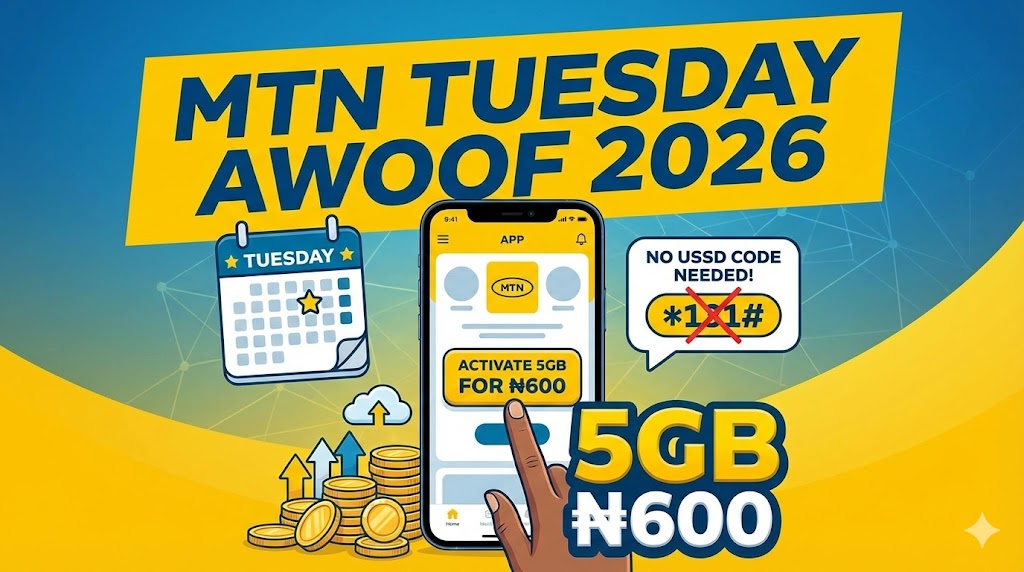
Every Tuesday, MTN Nigeria offers some of the cheapest data bundles you will find anywhere. The MTN Tuesday Awoof promotion lets you grab discounted data that is significantly cheaper than regular data plans. If you have been searching for an MTN Tuesday Awoof code and wondering why nothing works, this guide will explain exactly why and show you the only method that actually gets you this discounted data.
I discovered MTN Tuesday Awoof during my service year when I was trying to stretch my NYSC allowance as far as possible. Data was eating into my budget faster than I expected, and I needed a solution. After a friend mentioned this Tuesday offer, I started subscribing every week and managed to cut my monthly data spending by more than half. This guide shares everything I learned about making the most of this promotion.
Whether you are a student managing a tight budget, a corper surviving on allowance, or a hustler looking to reduce expenses, understanding how MTN Tuesday Awoof works can save you thousands of naira every month.
What is MTN Tuesday Awoof?
MTN Tuesday Awoof is a weekly promotional data offer that provides heavily discounted data bundles exclusively on Tuesdays. According to the official MTN Nigeria website, this promotion rewards both new and existing MTN customers with special pricing that is not available on any other day of the week.
The name “Awoof” comes from Nigerian slang meaning something free or extremely cheap. While the data is not technically free, the pricing is so good compared to regular plans that it feels like a steal.
Why This Offer Matters for Nigerians
The value becomes clear when you compare prices. A standard MTN weekly data plan might cost ₦500 to ₦800 for just 1GB. With MTN Tuesday Awoof, you can get significantly more data for less money. That is the kind of pricing that makes a real difference when you are watching every naira.
For students and young professionals trying to manage their finances, this weekly opportunity can transform your data budget. If you are working on budgeting your NYSC allowance, MTN Tuesday Awoof should be part of your strategy.
MTN Tuesday Awoof Prices and Plans in 2026
Current Available Plans
According to the official MTN Tuesday Awoof page, discounted data bundles are available every Tuesday through the MyMTN app. The specific plans typically include:
| Plan | Estimated Price | Validity | Notes |
|---|---|---|---|
| 1GB | ₦100 to ₦400 | 24 hours | Verify current price in app |
| 5GB | ₦500 to ₦900 | 48 hours (2 days) | May appear as 2.5GB + 2.5GB bonus |
Important pricing note: MTN does not publish fixed prices for Tuesday Awoof on their official page, and rates have changed multiple times over the years. The 5GB plan originally cost ₦500 when MTN first introduced this promotion. Prices later increased to ₦600, and some users have reported seeing ₦900 in certain periods. I strongly recommend checking the MyMTN app each Tuesday to confirm current pricing before subscribing.
Understanding How Your Data Balance Appears
One thing that confused me when I first subscribed is how the 5GB plan shows up in your balance. Based on user reports, the 5GB often appears as 2.5GB main data plus 2.5GB bonus rather than a single 5GB allocation. When you check your balance, you might see these as separate entries. Do not worry, it all works the same for browsing purposes.
Understanding the Validity Period
One thing that catches new users off guard is the short validity period. The 1GB plan expires exactly 24 hours after activation. The 5GB plan lasts 48 hours, which means two full days from the moment you subscribe.
If you do not use the data completely within the validity period, it disappears from your balance. There is no rollover to the next week. This is the trade-off for such cheap pricing.
Is There a Code for MTN Tuesday Awoof?
This is the most common question I see people asking, and I need to address it directly: there is no USSD code for MTN Tuesday Awoof.
According to the official MTN Nigeria Tuesday Awoof page, “It’s only available on the myMTN NG app.” If you have been dialling codes like *131# or *312# trying to find this offer, that is why nothing appears. MTN designed this promotion to be exclusively available through the MyMTN app. No shortcode or USSD menu will give you access.
Why People Keep Searching for Codes
I understand the frustration. Most MTN services have USSD codes, so it makes sense to assume this one would too. Common reasons people search for codes include:
Habit from using other MTN services that all have USSD access. Misinformation on social media where people share fake codes. Older articles written before MTN made this app-exclusive. Confusion with other data promotions that do have codes.
The reality is simple: if you want MTN Tuesday Awoof, you must use the MyMTN app. There is no workaround.
How to Subscribe to MTN Tuesday Awoof Step by Step
Since the app is the only way to access this offer, let me walk you through the exact process I follow every Tuesday.
Step 1: Download the MyMTN NG App
If you do not already have the app installed, download it from:
For Android users: Open Google Play Store and search for “MyMTN NG”
For iPhone users: Open Apple App Store and search for “MyMTN NG”
The app is free to download and does not require much storage space. Make sure you download the official MTN Nigeria app, not versions from other countries.
Step 2: Create Your Account and Log In
Open the app and tap on “Let’s Get Started” to begin setup. You can log in using your email address, social media account, or phone number. I prefer using my phone number because it connects directly to my MTN line.
If you choose phone number login, enter your MTN number and tap Continue. MTN will send a six-digit verification code via SMS. Enter this code to verify your account.
Step 3: Navigate to the Tuesday Awoof Offer
Once logged in, look for the yellow circular button with a plus sign. According to the official MTN instructions, you simply log in to the myMTN NG app and tap on “offers” to find the Tuesday Awoof promotion.
On Tuesdays, you should see the Tuesday Awoof promotion among your available offers. The offers appear as scratch cards that you need to reveal.
Step 4: Scratch and Select Your Plan
The interface presents offers as hidden cards. Rub your finger across the screen to scratch and reveal what is available. You will typically see the available data options for that week.
Select the plan you want by tapping on it. The 5GB plan offers better value per gigabyte, but choose based on how much data you can actually use in 48 hours.
Step 5: Complete Payment
After selecting your plan, tap “Buy Now” to proceed to payment. You can pay using:
Airtime balance: Deducts directly from your main airtime
Bank card: Links your debit card for payment
Mobile banking: Uses your bank app or USSD
I usually pay with airtime because it is faster. Just make sure you have sufficient balance before attempting to subscribe.
Step 6: Verify Your Subscription
After successful payment, MTN sends an SMS confirming your subscription. The message includes details about the data amount and expiry time.
To double-check your balance, dial *323# on your phone. This shows your current data balance including the Tuesday Awoof data you just purchased. Remember that the 5GB may appear as 2.5GB plus 2.5GB bonus in your balance breakdown.
How Long Does MTN Tuesday Awoof Last?
Understanding the timing is crucial for getting maximum value from this offer.
Plan Validity Breakdown
| Plan | Starts | Expires | Effective Usage Window |
|---|---|---|---|
| 1GB | Immediately after subscription | 24 hours later | Tuesday to Wednesday |
| 5GB | Immediately after subscription | 48 hours later | Tuesday to Thursday |
If you subscribe at 8 PM on Tuesday, your 5GB plan expires at 8 PM on Thursday. Not a minute later.
When the Offer is Available
According to the official MTN Tuesday Awoof page, the offer is available on Tuesdays from 12 am to 11:59 pm. Once the clock strikes midnight on Wednesday, you cannot subscribe until the following Tuesday.
Strategic Timing for Maximum Value
Here is a tip I learned from experience: subscribe as late as possible on Tuesday evening. If you activate at 10 PM on Tuesday, your 5GB lasts until 10 PM on Thursday. This gives you Wednesday and most of Thursday to use the data.
Compare this to subscribing at 8 AM Tuesday morning. Your data would expire by Thursday morning, giving you less practical usage time.
For people who need data for specific tasks like downloading course materials or uploading content, this timing strategy makes a real difference. If you are working on digital skills, planning your heavy downloads around Tuesday Awoof can save significant money.
Is MTN Tuesday Awoof Still Working in 2026?
Yes, MTN Tuesday Awoof remains active according to the official MTN Nigeria website. The promotion page confirms that new and old MTN subscribers are eligible, and the offer continues to run every Tuesday.
However, availability can vary. Some users occasionally report not seeing the offer in their app. If this happens to you, check the troubleshooting section below.
How to Confirm Availability Each Week
The simplest way to verify is opening your MyMTN app on Tuesday and checking the Offers section. If Tuesday Awoof is available for your line, it will appear there.
You can also visit the official MTN Nigeria website or contact customer care if you have concerns about eligibility.
MTN Tuesday Awoof Not Working: Troubleshooting Guide
Sometimes things do not go smoothly. Here are solutions to common problems users face with MTN Tuesday Awoof.
Problem: Cannot Find the Offer in the App
Check the date first. This sounds obvious, but I have made this mistake myself. Make sure it is actually Tuesday. Your phone might show the wrong date if settings are incorrect.
Update your app. Outdated app versions sometimes have display issues. Visit your app store and check for MyMTN updates.
Clear app cache. On Android, go to Settings, then Apps, find MyMTN, and clear cache. This often resolves display glitches.
Log out and log back in. Sometimes a fresh session loads offers that were not showing before.
Problem: Already Subscribed Today
According to the official MTN Tuesday Awoof page, customers only get the bonus on their first activation for the day. If you already subscribed earlier on Tuesday, you cannot subscribe again until next Tuesday.
This is a common source of confusion. People think they can buy multiple plans on the same Tuesday, but the system only allows one activation per day.
Problem: Insufficient Balance
Before attempting to subscribe, confirm you have enough airtime. Check the current prices in the app and ensure your main balance covers the cost.
Bonus airtime does not count. The payment must come from your main airtime balance. If you are low on airtime, you might find our guide on borrowing airtime from MTN helpful.
Problem: App Keeps Crashing
Poor network connection often causes app crashes. Try these solutions:
Switch to WiFi if available. Move to an area with better network coverage. Restart your phone and try again. Uninstall and reinstall the MyMTN app.
Problem: Offer Not Appearing for Your Line
In rare cases, certain lines may not be eligible. This could happen with very new SIM cards or lines with outstanding issues. If the offer consistently does not appear for you, contact MTN customer care for clarification.
Getting Help from MTN Customer Support
If you have tried all the troubleshooting steps and still cannot access the offer, MTN provides dedicated support channels. According to the official Tuesday Awoof page, you can send an email to [email protected] or chat with Zigi through the MyMTN app for assistance with activation issues.
How to Check Your MTN Tuesday Awoof Balance
After subscribing, you will want to monitor how much data you have left. Here are the methods that work.
Method 1: USSD Code
Dial *323# on your MTN line. This displays your total data balance including any Tuesday Awoof data.
For a more detailed breakdown showing different data types separately, dial *323*4# instead. This is particularly useful because your 5GB Tuesday Awoof data may appear as separate 2.5GB allocations.
You can also dial *310# to see all your balances including airtime, data, and any bonuses.
Method 2: SMS
Send 2 to 323 via SMS. MTN will reply with your current data balance information.
Method 3: MyMTN App
Open the MyMTN app and check your dashboard. The app displays your data balance prominently and often shows a breakdown of different data types.
Comparing MTN Tuesday Awoof to Regular Data Plans
Is the Tuesday Awoof offer actually worth it? Let me break down the comparison.
Value Comparison Table
| Plan Type | Data Amount | Typical Price | Validity |
|---|---|---|---|
| Tuesday Awoof | 5GB | ₦500 to ₦900 | 2 days |
| Tuesday Awoof | 1GB | ₦100 to ₦400 | 1 day |
| Regular Daily | 75MB | ₦100 | 1 day |
| Regular Weekly | 750MB | ₦500 | 7 days |
| Regular Monthly | 1.5GB | ₦1,000 | 30 days |
Even at the higher end of the Tuesday Awoof price range, the value per gigabyte remains significantly better than standard plans.
The Trade-Off: Validity vs Value
The catch is the short validity period. Regular plans last 7 to 30 days, giving you flexibility to spread usage. Tuesday Awoof data must be consumed within 24 to 48 hours.
This matters for your usage pattern. If you use data slowly throughout the month, standard plans might actually serve you better despite the higher per-gigabyte cost. But if you can concentrate your heavy usage into specific periods, Tuesday Awoof delivers exceptional value.
When Tuesday Awoof Makes Sense
Good scenarios for Tuesday Awoof:
You have specific downloads planned like movies, courses, or software updates. You need to upload large files for work or content creation. You want to binge-watch content on streaming platforms. You have projects requiring intensive internet use.
Less ideal scenarios:
You prefer light, spread-out browsing throughout the week. You cannot plan your data usage in advance. You often forget to use data before it expires.
For content creators and side hustlers, Tuesday Awoof can be particularly valuable. Batch your uploads and downloads for Tuesday night through Thursday.
Budget Strategy: How Students and Hustlers Can Maximize Savings
Let me share the actual math on how MTN Tuesday Awoof can transform your data budget.
Monthly Savings Calculation
Assuming the 5GB plan costs around ₦600 to ₦900:
At ₦600 per week: 4 Tuesdays multiplied by ₦600 equals ₦2,400 monthly for 20GB of data.
At ₦900 per week: 4 Tuesdays multiplied by ₦900 equals ₦3,600 monthly for 20GB of data.
Compare this to buying 20GB through regular MTN plans, which would typically cost ₦6,000 or more.
Potential savings: ₦2,400 to ₦3,600 per month, depending on current pricing.
For someone on the ₦77,000 NYSC allowance, saving even ₦2,400 monthly on data alone makes a meaningful difference. That money can go toward transportation, feeding, or building your emergency fund.
Practical Implementation Tips
Set a Tuesday reminder. I use my phone alarm set for 9 PM every Tuesday. This ensures I never miss the subscription window.
Plan your data-heavy tasks. Make a list of downloads, uploads, and streaming you want to do. Save these tasks for Tuesday night through Thursday.
Combine with WiFi strategy. Use Tuesday Awoof for mobile activities and rely on WiFi where available for desktop work. This stretches your data even further.
Download for offline use. Many apps like YouTube, Netflix, and Spotify allow offline downloads. Use your Tuesday Awoof data to download content you can watch later without internet.
If you are working on building skills while managing a tight budget, our guide on time management for side hustlers offers more strategies for getting maximum value from your resources.
Tips for Getting the Most From Your Tuesday Awoof Data
Based on my experience subscribing to this offer weekly, here are practical tips that help.
Tip 1: Prepare Your Download List in Advance
Before Tuesday arrives, note everything you want to download. Course videos, software updates, entertainment content, work files. Having a clear list means you spend less time deciding and more time actually downloading.
Tip 2: Use Download Managers
Apps like IDM or ADM let you pause and resume downloads, download multiple files simultaneously, and recover interrupted downloads. These are essential when you have limited time to use your data.
Tip 3: Compress Uploads Before Sending
If you create content and need to upload large files, compress them first. A video compressed from 2GB to 500MB saves significant data and upload time.
Tip 4: Enable Data Saver Modes
Most phones and apps have data saver settings. Enable these for regular browsing to stretch your Tuesday Awoof data further.
Tip 5: Monitor Usage in Real Time
Keep checking your balance using *323# as you use data. This prevents the frustrating experience of running out mid-download.
Tip 6: Have Backup Airtime Ready
Nothing is worse than finding the offer, trying to subscribe, and realizing you do not have enough airtime. Keep sufficient airtime on your line every Tuesday just in case. If you occasionally need emergency airtime, knowing the code to borrow airtime from MTN can help.
Frequently Asked Questions About MTN Tuesday Awoof
What is the code for MTN Tuesday Awoof?
There is no USSD code for MTN Tuesday Awoof. According to the official MTN Nigeria website, the offer is only available on the myMTN NG app. Navigate to the Offers section on any Tuesday to find and subscribe to this promotion.
Is MTN Tuesday Awoof still working in 2026?
Yes, the offer remains active according to the official MTN Nigeria website. The page confirms that new and old MTN subscribers are eligible and that the offer is available on Tuesdays from 12 am to 11:59 pm.
How much is MTN Tuesday Awoof?
MTN does not publish fixed prices on their official page. Prices have changed over time from an initial ₦500 for 5GB to higher amounts. Always verify current pricing in the MyMTN app each Tuesday before subscribing.
How long does MTN Tuesday Awoof data last?
The 1GB plan expires 24 hours after activation. The 5GB plan expires 48 hours after activation. Unused data does not roll over.
What time does MTN Tuesday Awoof start and end?
According to the official MTN page, the offer is available from 12 am to 11:59 pm every Tuesday. After midnight on Wednesday, you cannot subscribe until the following Tuesday.
Why is MTN Tuesday Awoof not showing in my app?
Common reasons include: not being Tuesday, outdated app version, cache issues, or already having subscribed earlier that day. Update your app, clear cache, and try logging out then back in. If issues persist, contact [email protected] or chat with Zigi.
Can I subscribe to MTN Tuesday Awoof more than once on Tuesday?
No. According to the official MTN page, customers only get the bonus on their first activation for the day. You must wait until next Tuesday for another subscription.
Why does my 5GB show as 2.5GB plus 2.5GB?
The 5GB Tuesday Awoof plan often appears as 2.5GB main data plus 2.5GB bonus in your balance. This is normal and the total still equals 5GB of usable data.
Does MTN Tuesday Awoof data work for all activities?
Yes, this is general browsing data. You can use it for streaming, downloading, social media, browsing, and any other online activity.
Can I use MTN Tuesday Awoof data for hotspot?
Yes, the data works for personal hotspot. You can share the connection with other devices.
Quick Reference Guide
| Question | Answer |
|---|---|
| Is there a code? | No, app only |
| Which app? | MyMTN NG |
| When available? | Tuesdays, 12 AM to 11:59 PM |
| 1GB validity | 24 hours |
| 5GB validity | 48 hours |
| Check balance code | *323# or *323*4# |
| Multiple subscriptions per day? | No, first activation only |
| Data rollover? | No, unused data expires |
| Customer support email | [email protected] |
| In-app support | Chat with Zigi |
Managing Your Overall Data and Subscription Costs
MTN Tuesday Awoof is one piece of a larger strategy for managing your mobile expenses. If you find yourself dealing with unexpected deductions from other MTN services, our comprehensive guide on how to cancel all subscription on MTN explains every code and method for stopping unwanted charges.
For those comparing data options across networks, understanding what each provider offers helps you make informed decisions. Sometimes combining Tuesday Awoof with other promotional offers from MTN or even using multiple SIM cards gives you the best overall value.
If you want to understand other MTN data options, our guide on MTN data plan 200 for 1GB covers additional affordable plans.
Final Thoughts on MTN Tuesday Awoof
MTN Tuesday Awoof represents one of the best data deals available in Nigeria when you understand how to use it properly. The key insights to remember are:
No USSD code exists. Stop searching for codes and download the MyMTN app instead. The official MTN page clearly states it is only available on the myMTN NG app.
Timing matters. Subscribe late Tuesday evening to maximize your 48-hour window.
Plan your usage. The short validity means you need to use the data quickly, so have your downloads and tasks ready.
Check prices in the app. MTN adjusts pricing periodically without updating their main page, so always verify current rates each Tuesday.
Set reminders. Missing a Tuesday means waiting another week, and those missed opportunities add up.
Know where to get help. If you have issues, email [email protected] or chat with Zigi through the app.
For students, corpers, and young professionals watching their budgets, this weekly ritual can save significant money over time. The discipline of planning your data-heavy activities around Tuesday creates a useful habit that extends to other areas of financial management.
If you are working on broader personal development and building better habits, our guide on creating a personal development plan offers frameworks that apply to financial goals as well.
Start this Tuesday. Download the MyMTN app, set your reminder, and begin saving on your data costs. Your wallet will thank you.

Oladepo Babatunde (Prince Babatee Tunde) is a Computer Scientist, researcher, and professional content writer with a Higher National Diploma in Computer Science from Kwara State Polytechnic, Nigeria.
With a background in technology and a passion for clear communication, Babatunde specializes in creating thoroughly researched, reader-focused content on productivity, personal development, home living, and technology. Every article he writes is backed by extensive research and fact-checking to ensure readers receive accurate, actionable information.
As a freelance writer, he has helped brands and publications deliver content that educates, engages, and empowers their audiences. His mission at Vibena is simple: make complex topics easy to understand and help Nigerians live smarter, more productive lives.